
How to Run Facebook Ads for E-commerce: A Step-by-Step Guide
This guide provides a comprehensive walkthrough for setting up, analyzing, and scaling Facebook ad campaigns for e-commerce and dropshipping. Learn the foundational principles, a step-by-step launch process, and advanced strategies for sustainable growth.

Sections
Foundations for a Successful Facebook Ad Strategy
Before launching a campaign, it's essential to have the correct technical setup and strategic components in place. A strong foundation significantly increases the likelihood of success by ensuring proper tracking, compelling creative, and a clear understanding of the campaign's goals.
Prerequisites for Your First Campaign
Ensure these three elements are ready before you spend any money on ads:
- Facebook Pixel Installation: The Pixel is a piece of code that tracks user actions on your website, such as purchases and adds to cart. For Shopify stores, this can be integrated by installing the 'Facebook & Instagram' app from the Shopify App Store and following the setup instructions.
- A Collection of Ad Creatives: Prepare a batch of visuals to test. A good starting point is 10-15 total pieces of content, which can be a mix of 3-5 videos and 3-4 static images. This variety allows the platform's algorithm to find what resonates best with your audience.
- An Initial Advertising Budget: While it's possible to start with a smaller amount like $100 to learn the platform, a budget of $250 or more is recommended for a proper testing phase. This provides enough data to make informed decisions about campaign performance.
The Core Components of a Winning Ad
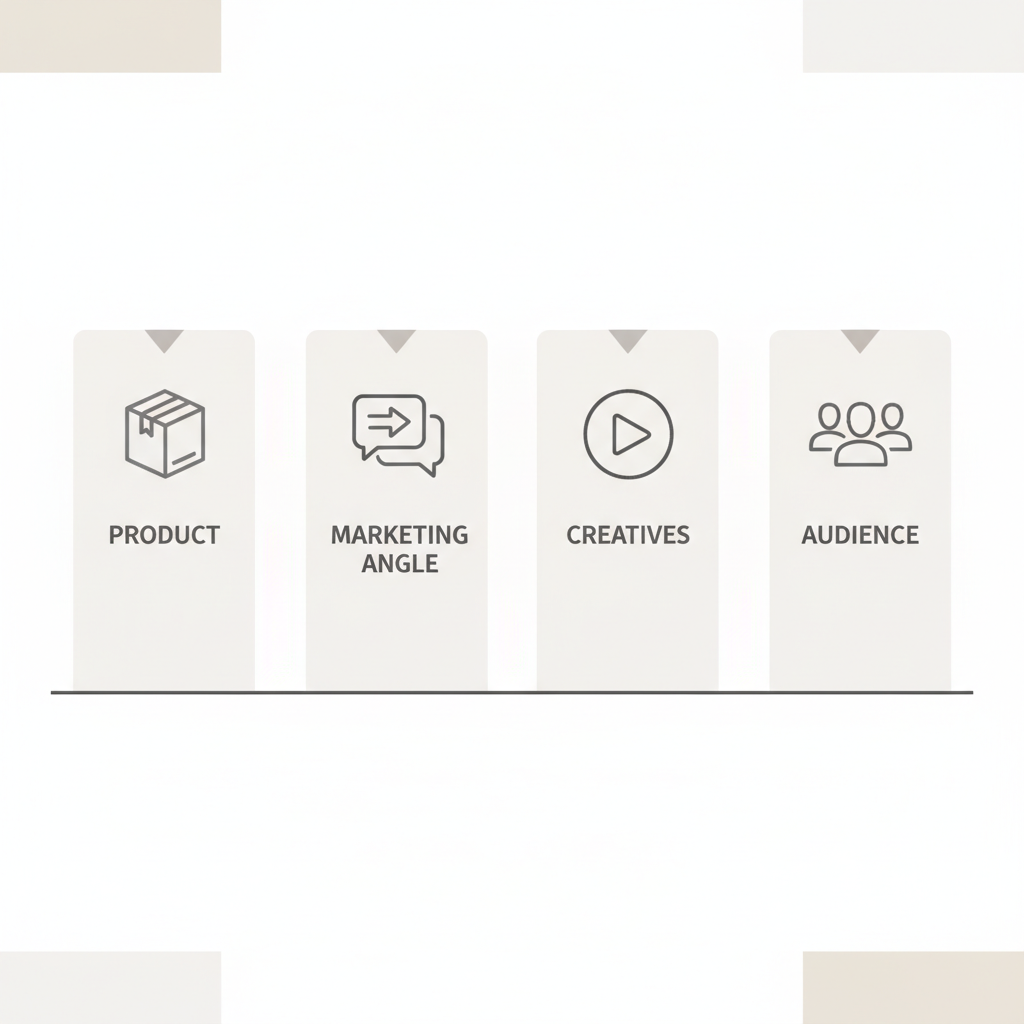
Four key elements work together to determine the success of your advertising efforts:
- The Product: Effective advertising cannot sell a product with no market demand. Ensure your product solves a problem or meets a genuine consumer need.
- The Marketing Angle: This is your approach to positioning the product. It defines how you communicate its value to a specific audience.
- The Creatives: The videos and images in your ads are the most critical component. They must capture attention and align perfectly with your marketing angle and target audience.
- The Audience: A well-defined customer avatar is crucial. When you know exactly who you're targeting, you can craft creatives and messaging that speak directly to them.
How to Launch Your First Facebook Ad Campaign: A Step-by-Step Tutorial
This section details a simple yet effective structure for testing a new product. The goal is to gather data efficiently, identify winning creatives, and validate product-market fit with a controlled budget.
Step 1: Create the Campaign
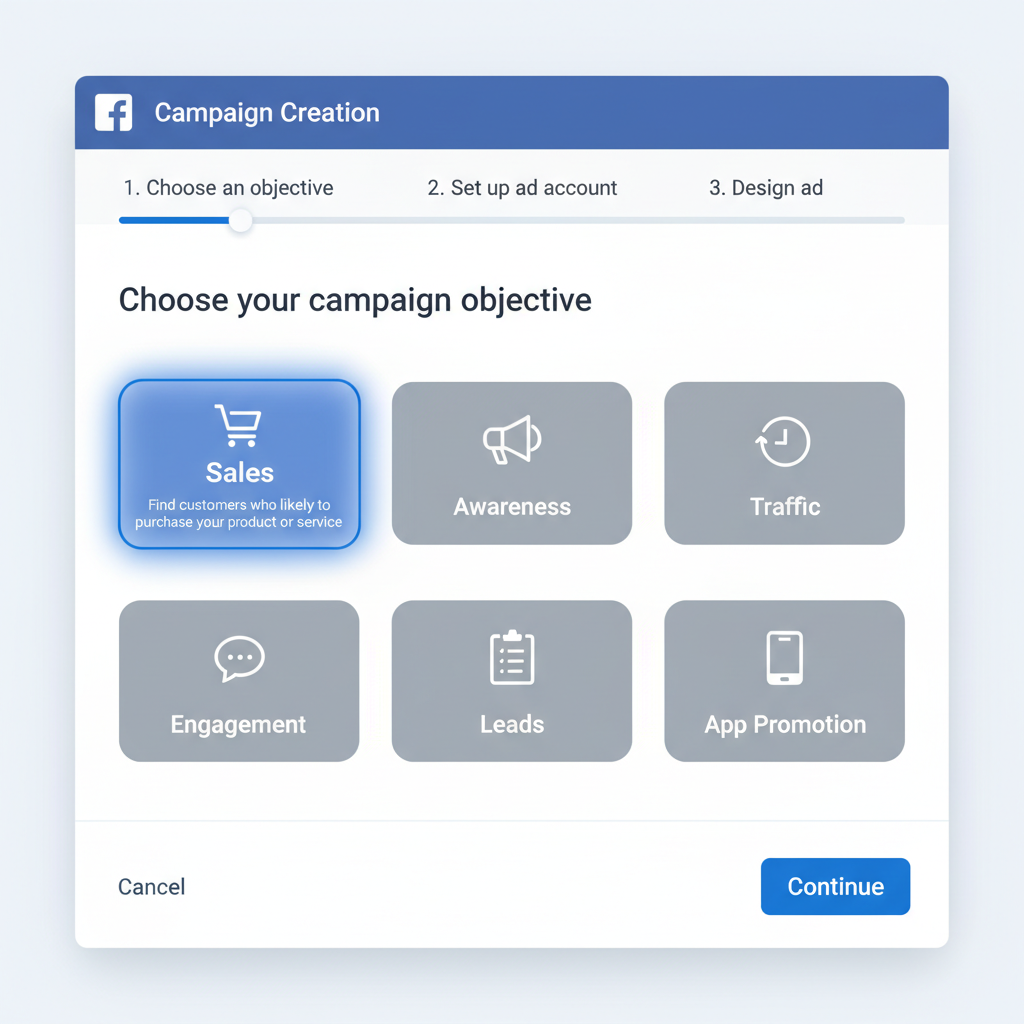
In the Facebook Ads Manager, begin by creating a new campaign. Follow these settings:
- Campaign Objective: Select 'Sales'. This tells Meta's algorithm to find users most likely to make a purchase.
- Campaign Name: Give your campaign a clear, descriptive name (e.g., 'Product Name - Testing').
- Campaign Budget: Enable 'Advantage campaign budget' (formerly CBO). Set a daily budget of $50 for the initial test. This allows Facebook to distribute the budget across your ads to the best performers automatically.
Step 2: Configure the Ad Set
The ad set level defines your audience, placement, and schedule. For this testing structure, you will only use one ad set.
- Conversion Event: Choose 'Purchase' as the optimization goal. This option will be available once your Pixel is correctly installed and active.
- Schedule: Set a start time for the next day at 6:00 AM in your target market's local time. This helps the budget spend evenly throughout the day.
- Audience: Use 'Advantage+ audience' for broad targeting. This allows Meta to leverage its data to find the best audience without manual interest or demographic layers, which is highly effective for most e-commerce products.
- Location: Start by targeting a single, high-intent country. The United States is a common choice for new products, while the UK or Australia can be good alternatives for more saturated markets.
Step 3: Add and Duplicate Your Creatives
This is where you will add all the videos and images you prepared earlier.
- Create the First Ad: Inside your ad set, create a new ad. Select 'Single image or video'. Upload your first creative (video or image).
- Write Ad Copy: Provide a compelling 'Primary Text' (the main description) and a short, punchy 'Headline'. Your goal is to highlight the problem your product solves.
- Set the Call to Action: Change the CTA button to 'Shop Now'.
- Add Your Website URL: Link directly to the product page on your store.
- Duplicate for All Creatives: Once the first ad is complete, use the 'Duplicate' function to create copies. If you have 10 creatives, make 9 duplicates. Go into each duplicated ad and swap out the video or image with a new one, keeping the copy the same. This creates a setup with one campaign, one ad set, and 10-15 different ads competing against each other.
Analyzing and Optimizing Your Test Campaign
After your campaign has run for at least 24 hours and spent the full daily budget, it's time to analyze the results and make data-driven decisions.
Key Metrics to Monitor
While sales are the ultimate goal, these metrics provide insight into campaign health:
- ROAS (Return On Ad Spend): The most important metric. It measures the revenue generated for every dollar spent on advertising. A ROAS of 2.3 means you made $2.30 for every $1.00 spent.
- CPC (Cost Per Click): The average cost you pay for a single click on your ad. Aim for a CPC under $1.50-$1.80 in major markets like the US.
- CTR (Click-Through Rate): The percentage of people who see your ad and click on it. A CTR above 2% is a good indicator that your creative is engaging.
Decision-Making Framework After 24 Hours
Based on the initial performance, take one of the following actions:
- Zero Sales: Turn off the campaign. You can either launch a new test with entirely new creatives or, if this is a recurring issue, reconsider the product's viability.
- One Sale: Let the campaign run for another 24 hours. Turn off the individual ads (creatives) that have spent money without generating clicks or sales and consider adding new ones to the ad set.
- Two to Three Sales: The product shows promise. Continue letting it run and follow the same process as above: turn off underperforming ads to allow the budget to consolidate on the better ones.
- Three to Five+ Sales: You have a winning product. It's time to move from testing to scaling.
Scaling Your Facebook Ads for Growth
Scaling involves systematically increasing your ad spend while maintaining profitability. This is done by identifying what works and dedicating more budget to it.
Beginner Scaling: The Two-Campaign Method
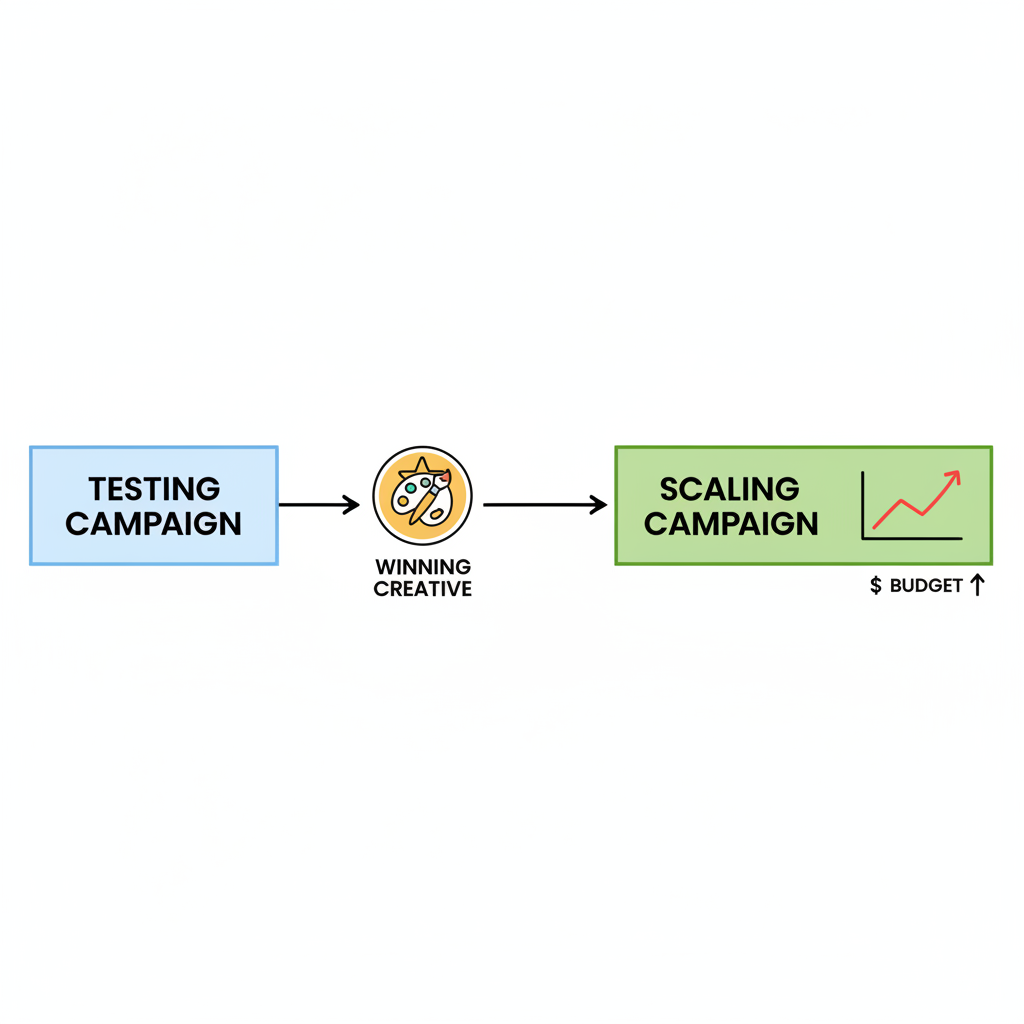
This method separates testing from scaling to maintain stability.
- Maintain Your Testing Campaign: Keep your initial $50-$100/day campaign running. Its purpose is to continuously test new creatives and find new 'winners'.
- Create a 'Scaling' Campaign: Create a new CBO campaign.
- Move Winning Creatives: When an ad in your testing campaign gets a sale, duplicate it into the new scaling campaign.
- Set the Scaling Budget: Set the scaling campaign's daily budget based on the number of winning creatives inside it. A good starting point is $50 per winning creative (e.g., 3 winning creatives = $150/day budget).
- Increase Budget Gradually: As long as the scaling campaign remains profitable, increase its budget by about 20% each day. If profitability drops, scale the budget back down slightly.
Advanced Scaling: Horizontal and Vertical Strategies
For moving beyond several thousand dollars a day, more aggressive methods are needed.
- Horizontal Scaling: When you have a winning ad set (an ad set with 5+ sales and strong profitability), duplicate it 3 to 5 times into an entirely new campaign. This forces Facebook to find new pockets of customers with a proven combination of creatives and settings.
- Vertical Scaling (The 'Killer Campaign'): Create a single new CBO campaign and consolidate all of your best-performing creatives from every other campaign into it. Set a high budget and continue to increase it as long as it remains profitable. This campaign becomes your primary driver of revenue.
Common Mistakes to Avoid When Running Ads
Navigating Facebook Ads can be challenging. Avoid these common pitfalls that often lead to poor results and wasted budget.
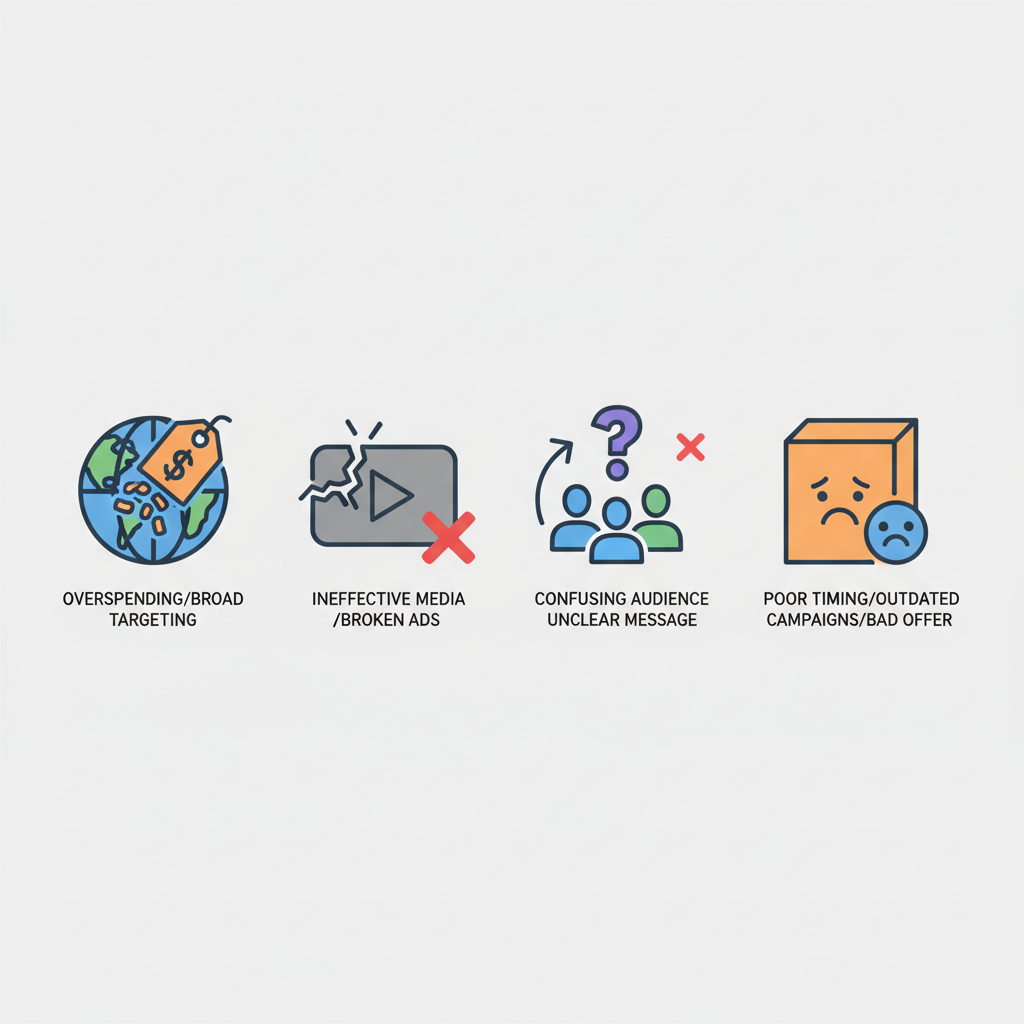
- Targeting Expensive Countries Too Early: While the US is a large market, its ad costs are high. Beginners may find better initial traction and lower costs in countries like the UK, Canada, or Australia.
- Entering Highly Saturated Niches: Niches like general beauty or commodity fashion have immense competition, leading to high CPCs. Unique products that solve specific problems often perform better.
- Using Low-Quality Creatives: Your video and image ads are the single most important factor. Study what works and invest time in producing high-quality, engaging content.
- Not Testing Enough Creatives: Relying on one or two ads is a recipe for failure. You should constantly be testing new ideas to find what resonates and to combat ad fatigue.
- Choosing a Weak Product: If a product doesn't solve a genuine problem or have a 'wow' factor, even the best ads will fail.
- Cutting Campaigns Too Soon: The algorithm needs time and data (at least 24-48 hours) to optimize. Making premature decisions based on a few hours of data can lead you to kill a campaign that would have become a winner.
- Emotional Attachment: Do not become emotionally invested in a product. If the data shows it isn't working after several tests, be prepared to move on to the next opportunity.
Related Tools
Frequently Asked Questions
How much budget do I need to start with Facebook ads?
A budget of at least $250 is recommended to properly test a product. This allows you to run a campaign for several days to gather enough performance data to make informed decisions about scaling or stopping.
What is the best campaign structure for testing new products?
A simple and effective structure is one campaign using Advantage Campaign Budget (CBO), one ad set with broad Advantage+ targeting, and 10-15 different ad creatives within that single ad set. This allows the algorithm to quickly identify the best-performing ads.
How long should I let my ads run before making changes?
You should let a new test campaign run for at least 24 hours to complete a full daily cycle and gather initial data. Avoid making significant changes before the campaign has spent its full first-day budget.
What is a good ROAS for an e-commerce campaign?
A 'good' ROAS depends entirely on your product's profit margins. A business with high margins might be profitable at a 2.0 ROAS, while a business with low margins might need a 4.0 ROAS or higher to be profitable. Calculate your break-even ROAS to set a clear target.
Should I use broad targeting or specific interests?
For most e-commerce products, starting with broad targeting using Meta's 'Advantage+ audience' is highly effective. The algorithm is very sophisticated at finding the right customers without needing manual interest layering, which simplifies setup and often improves performance.
Key Terms
- Facebook Pixel
- A snippet of code placed on a website that collects data and tracks conversions from Facebook ads, helping to measure ad effectiveness and optimize for future campaigns.
- ROAS (Return On Ad Spend)
- A marketing metric that measures the amount of revenue earned for every dollar spent on advertising. It is calculated by dividing total ad-driven revenue by total ad spend.
- CPC (Cost Per Click)
- The price an advertiser pays for each click on their ad. It is a key metric for understanding the cost of driving traffic to a website.
- CTR (Click-Through Rate)
- The percentage of users who click on a specific link or ad after viewing it. It is a common metric used to measure the engagement and relevance of an ad creative.
- Ad Set
- A group of ads that share the same budget, schedule, audience targeting, and placement settings within a Facebook campaign.
- Advantage Campaign Budget (CBO)
- A Facebook ads setting that automatically manages the campaign budget across multiple ad sets to get the best overall results. It allocates more spend to the ad sets that are performing better.
- Horizontal Scaling
- An advertising strategy that involves increasing ad spend by launching more ads or ad sets, rather than increasing the budget of existing ones. This often involves duplicating successful ad sets to reach new audience segments.