
What is AdLibrary.com?
Sections
A Unified Ad Intelligence & Creative Research Platform
AdLibrary is a unified ad intelligence and creative research platform that helps marketers analyze competitor ads across every major advertising network, understand why specific ads work, and turn those insights into testable creative strategies.
Unlike traditional ad spy tools that only show you which ads are running, AdLibrary supports the full workflow: research → understand → save → enrich → scale. It's the platform performance marketers, agencies, and growth teams use to replace guesswork with data-driven creative decisions.
AdLibrary indexes ads from Facebook, Instagram, TikTok, YouTube, Google, AdMob, Unity Ads, Pinterest, and more — all searchable from a single interface. No more tab-hopping between platform-specific ad libraries.
What Problem Does AdLibrary Solve?
Most marketing teams don't struggle to find ads. They struggle to extract meaning from them.
Without a structured ad intelligence platform, competitive research typically collapses into:
- Endless tab-hopping between Meta Ad Library, TikTok Creative Center, Google Ads Transparency Center, and more
- Screenshots without context — saved to random folders, never used again
- Opinions instead of patterns — "I like this ad" vs. "this hook structure has been running for 90 days across 3 brands"
- Creative decisions based on vibes — not data, not evidence, not competitive intelligence
AdLibrary replaces this chaos with structured, comparable, and reusable insight. Every ad you find can be saved, enriched with AI analysis, and turned into an actionable creative brief.
Related concept: What is ad intelligence?
What Makes AdLibrary Different From Ad Spy Tools?
AdLibrary is not built to "spy." It's built to recognize patterns at scale.
Traditional ad spy tools answer one question: "What ads are running?"
AdLibrary answers harder, more valuable questions:
- Why does this ad exist? — What objective is it optimizing for?
- Why has it been running this long? — Longevity is a proxy for performance
- What structure is being reused across variants? — Identify the template, not just the creative
- How can this be adapted, not copied? — Extract the principle, build your own version
Where spy tools give you a list of ads, AdLibrary gives you the creative intelligence layer on top: AI enrichment that breaks down hooks, angles, emotional triggers, and audience targeting — automatically, for any ad you find.
See how AdLibrary compares: AdLibrary vs. other tools
How AdLibrary Works (End to End)
1. Unified Ad Search
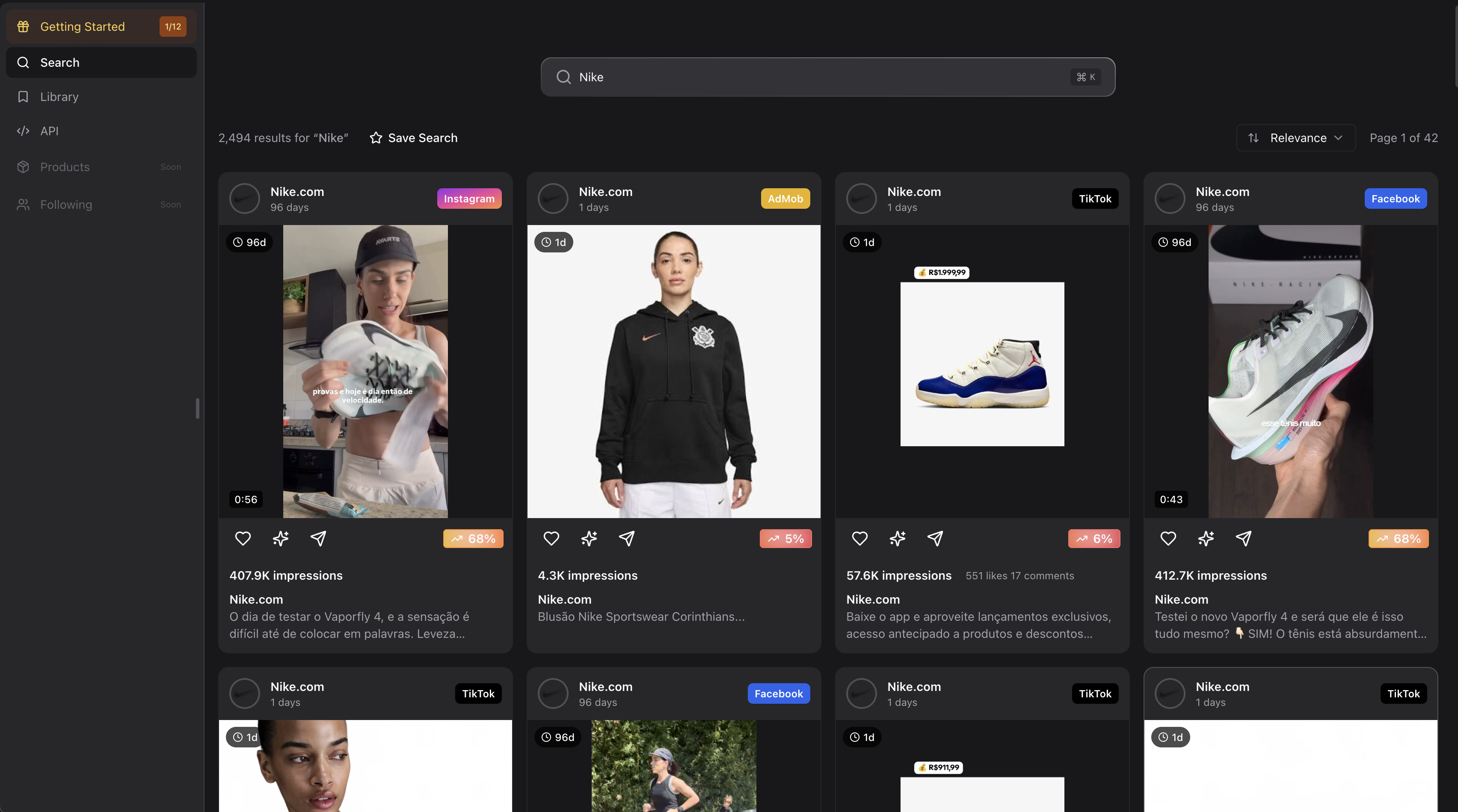
Search by keyword, brand, or product concept — "Nike", "AI fitness app", "protein powder", or any niche.
AdLibrary returns a single, normalized grid of ads pulled from every indexed platform. You see all results displayed in an Instagram-like feed — scroll, save, share, and enrich ads instantly.
Each result includes the ad creative preview, advertiser name, platform attribution, engagement signals, and freshness indicators so you can quickly assess relevance and performance.
Related feature: Unified Ad Search
2. Multi-Platform Coverage
Ads are indexed across Facebook, Instagram, TikTok, YouTube, Google, AdMob, Unity Ads, Pinterest, and additional networks.
Each platform follows different creative rules — a TikTok ad that works looks nothing like a YouTube pre-roll. AdLibrary preserves these platform-specific differences so you can study what works on each platform, not just what works generically.
This cross-platform view is what makes competitive intelligence truly actionable. You can see how a brand adapts the same campaign message across different networks, or discover which platforms competitors invest in most heavily.
Related feature: Multi-Platform Ad Coverage
3. Platform, Geo & Format Filters
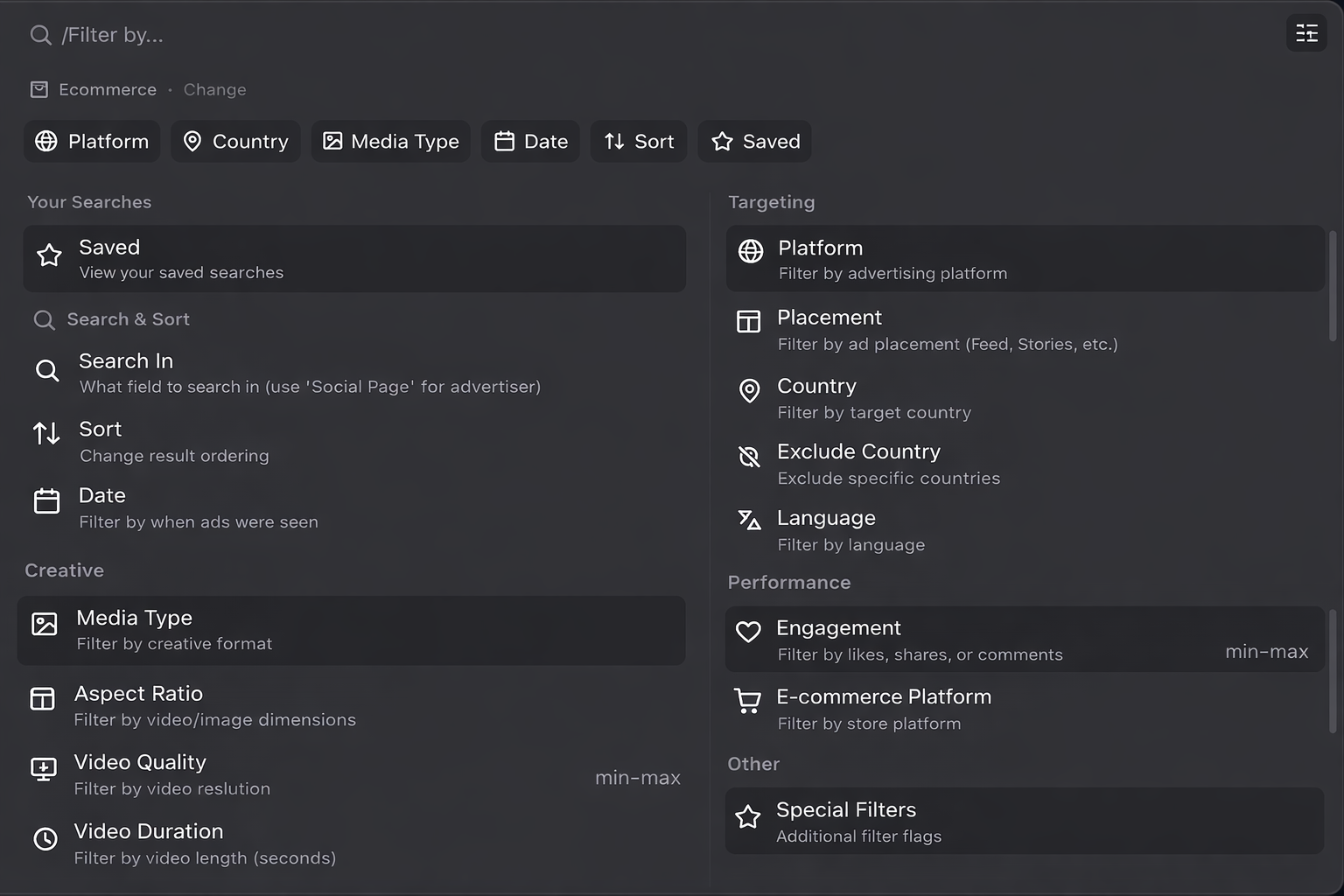
Filter ads by platform, country, language, and creative format (video, image, carousel, etc.).
This ensures your competitive insights remain valid within consistent creative parameters. Comparing a US Facebook video ad against a German TikTok image ad produces noise, not insight. Filters keep your analysis clean.
Related features:
4. Timeline & Freshness Analysis
Filter ads by date range, days running, first seen, and last seen dates.
Longevity is a performance proxy. An ad that's been running for 90+ days is almost certainly profitable — advertisers don't burn budget on losers. Fresh ads signal testing and trend exploration. This temporal dimension turns ad research from a snapshot into a strategic signal.
Related feature: Ad Timeline Analysis
5. Ad Detail View & Funnel Inspection

Click any ad to reveal the full picture: ad copy, creative specifications, metadata, and the live landing page.
This closes the loop between ad creative, offer positioning, and sales funnel. The best competitive research doesn't stop at the ad — it follows the entire user journey from impression to conversion page.
Related feature: Ad Detail View
6. AI Ad Enrichment
Any ad in AdLibrary can be enriched with AI to extract structured, actionable insights.
AI enrichment automatically identifies:
- Hook — what grabs attention in the first 1-3 seconds
- Angle — the strategic positioning behind the creative
- Target audience — who this ad is designed to reach
- Emotional triggers — fear, aspiration, urgency, social proof
- Reusable patterns — templates you can adapt for your own campaigns
This converts subjective reactions ("I like this ad") into repeatable creative logic ("this ad uses a problem-agitation-solution structure targeting fitness beginners with social proof from UGC").
Related feature: AI Ad Enrichment
7. Saving & Organizing Ads
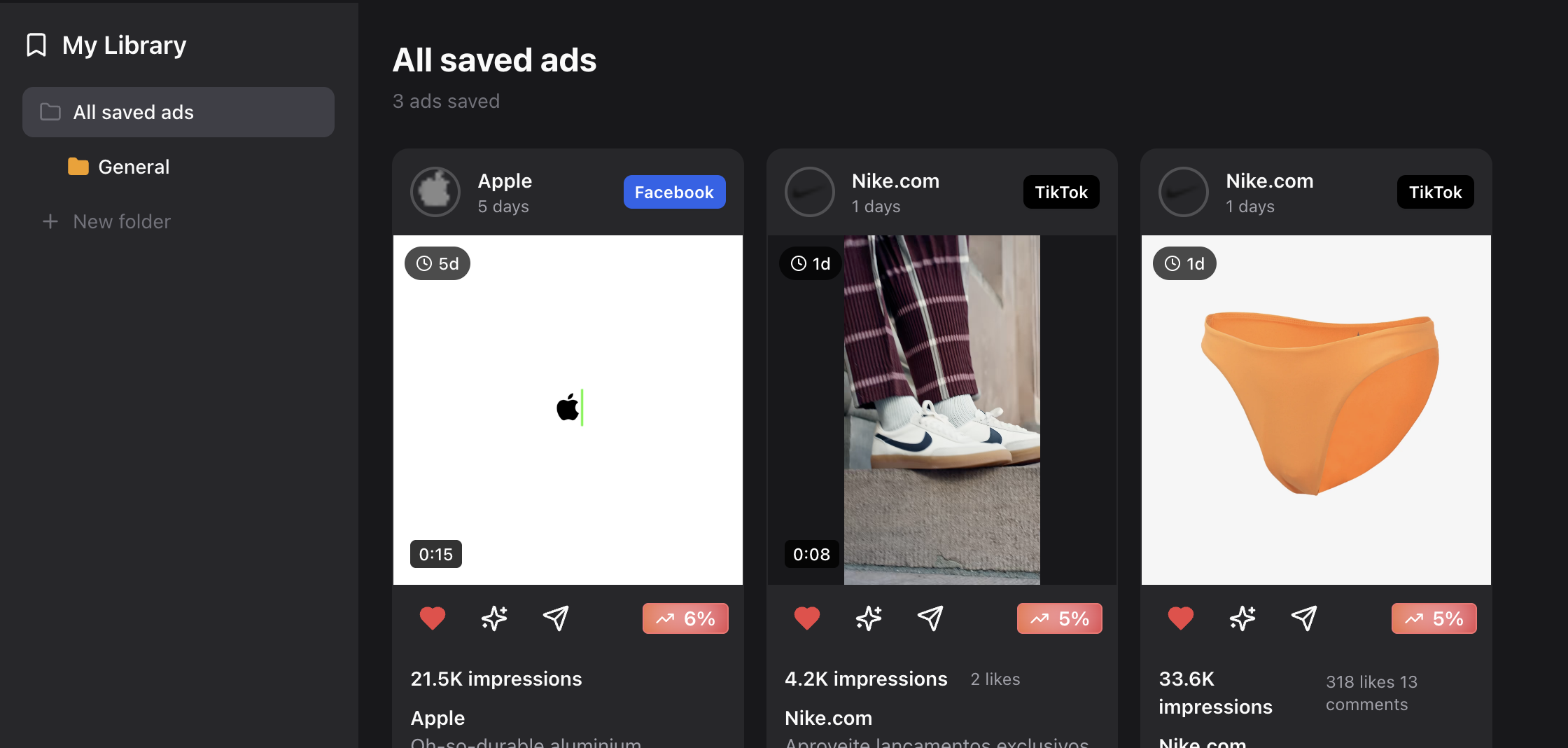
Ads can be saved into a persistent, searchable personal library — your team's swipe file.
Saved ads become briefing material for designers, evidence for creative strategy meetings, test backlogs for media buyers, and reference collections that improve over time.
Related feature: Saved Ads Library
8. API Access for Teams & AI Agents
AdLibrary provides a REST API for programmatic access to ad data. Search ads, retrieve creative metadata, and build custom integrations — whether you're powering an internal dashboard, feeding data to AI agents, or automating competitive reports.
The API returns the same data available in the UI: ad creatives, advertiser info, platform attribution, engagement metrics, and enrichment data.
Related feature: API Access
Who Is AdLibrary For?
AdLibrary is built for anyone making paid creative decisions who wants evidence over guesswork:
- Performance marketers — research winning creative patterns before spending budget on tests
- Growth teams — analyze competitor acquisition strategies across platforms
- Agencies — build data-backed creative briefs and pitch competitive intelligence to clients
- Founders & CEOs — understand what competitors are running without hiring an analyst
- Creative strategists — replace intuition with structured pattern recognition
- Media buyers — identify winning formats, hooks, and angles before committing budget
- AI agents & developers — integrate ad data into automated workflows via API
Explore specific workflows: AdLibrary Use Cases
How Teams Actually Use AdLibrary
The most effective teams follow a structured research workflow:
- Search a niche, brand, or competitor
- Filter by platform, geo, and creative format
- Sort by impressions (proven performers) or freshness (new tests)
- Inspect top ads and their landing pages
- Save high-signal creatives to your library
- Enrich with AI to extract hooks, angles, and patterns
- Identify recurring patterns across multiple successful ads
- Build test plans based on validated creative strategies
This loop turns competitive research from a one-time activity into a continuous creative advantage. Teams running this workflow weekly consistently outperform those relying on gut instinct.
Learn more: How to Find Winning Ads
Platforms Covered by AdLibrary
AdLibrary indexes ads from the following platforms, all searchable from a single interface:
- Facebook — the largest ad platform by spend, covering News Feed, Stories, Reels, and Marketplace placements
- Instagram — Feed, Stories, Reels, and Explore placements with full creative previews
- TikTok — In-Feed, TopView, and Spark Ads across the fastest-growing ad platform
- YouTube — Pre-roll, mid-roll, Shorts, and Discovery ad formats
- Google — Search, Display, and Performance Max campaigns
- AdMob — mobile in-app advertising across iOS and Android
- Unity Ads — gaming-focused mobile ad placements
- Pinterest — Promoted Pins, Video Pins, Shopping Pins, and more
New platforms are added regularly. See full platform coverage.
Frequently Asked Questions
Is AdLibrary the same as Facebook Ad Library?
No. Facebook's Ad Library (now called Meta Ad Library) only shows ads running on Meta platforms (Facebook and Instagram) and offers limited search and filtering. AdLibrary is a separate, independent platform that indexes ads from 8+ networks including Meta, TikTok, YouTube, Google, Pinterest, and more — and adds AI enrichment, advanced filtering, swipe file organization, and API access on top. Think of it as the difference between checking one store and searching an entire marketplace.
Is AdLibrary an ad spy tool?
No. While some people call any ad research platform a "spy tool," AdLibrary is focused on pattern recognition and creative intelligence, not copying or surveillance. The goal isn't to replicate what competitors are doing — it's to understand why certain creative approaches work, identify structural patterns across successful ads, and adapt those principles into your own campaigns.
What is ad intelligence?
Ad intelligence is the practice of systematically analyzing competitor advertising activity to extract strategic and creative insights. It goes beyond simply seeing what ads are running — it includes understanding spend patterns, creative trends, messaging strategies, and performance signals across platforms and time periods.
Who should use AdLibrary?
Anyone responsible for paid creative decisions who wants fewer guesses and more signal. This includes performance marketers, media buyers, creative strategists, growth teams, agencies, founders managing paid acquisition, and developers building automated ad research workflows. If you're spending money on ads and want to know what's working for others in your space, AdLibrary is built for you.
How much does AdLibrary cost?
AdLibrary offers multiple pricing tiers to fit different team sizes and needs, including a free option to get started. Visit the pricing page for current plans, features included at each tier, and team pricing.
Does AdLibrary have an API?
Yes. AdLibrary provides a REST API for programmatic access to ad data. You can search ads, retrieve creative metadata, and build custom integrations. The API is used by teams building internal dashboards, automated competitive reports, and AI-powered workflows. See the API access feature page for details.
What platforms does AdLibrary cover?
AdLibrary currently indexes ads from Facebook, Instagram, TikTok, YouTube, Google, AdMob, Unity Ads, and Pinterest. Each platform's ads are searchable from a single interface with platform-specific filters and creative previews. New platforms are added regularly based on advertiser demand.
Can I try AdLibrary for free?
Yes. AdLibrary offers a free tier that lets you search ads, preview creatives, and explore the platform's capabilities. For advanced features like AI enrichment, unlimited saves, and API access, paid plans are available. See pricing for details.
How is AdLibrary different from Foreplay or AdSpy?
AdLibrary differentiates through broader platform coverage (8+ networks vs. typically 1-3), AI-powered enrichment that automatically extracts hooks, angles, and patterns from any ad, and a REST API for programmatic access. AdLibrary is also designed as a complete creative intelligence workflow — not just a search tool, but a system for saving, analyzing, and acting on competitive insights. Compare options on our alternatives page.
The Core Idea
AdLibrary is not about spying on competitors.
It's about turning chaos into context, ads into insight, and insight into execution.
That's the product. Try AdLibrary free.