
How to Start a Blog: A Step-by-Step Guide for Beginners
A comprehensive guide to creating, launching, and growing a blog, covering everything from choosing a name to generating income.

Sections
A blog is a type of website focused primarily on written content, known as blog posts. It allows individuals and businesses to share knowledge, stories, and expertise with a global audience, fostering connection and community through interactive features like comments.

Why Start a Blog?
People start blogs for various reasons, each offering unique benefits. A blog can serve as a platform to share a personal story, document experiences, or connect with others who have similar interests and passions.
For businesses, a blog can establish authority in an industry and build trust with potential customers. It can also be a significant source of passive income through monetization methods like advertising, affiliate marketing, or selling products and services.
A Practical Workflow for Launching Your Blog
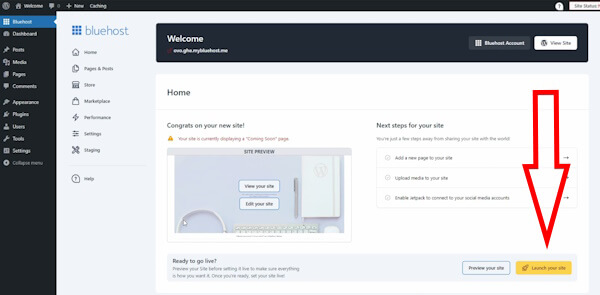
Launching a blog involves a series of structured steps from conception to promotion. Following a clear workflow ensures all essential components are addressed, setting a strong foundation for future growth and success.
- Step 1: Define Your Niche and Name. Select a topic you are passionate about and choose a descriptive, memorable name for your blog.
- Step 2: Get Your Blog Online. Register your domain name and set up a web hosting account to store your blog's files.
- Step 3: Customize Your Blog's Design. Choose a design template, or theme, that reflects your blog's topic and brand.
- Step 4: Publish Your First Content. Write and publish your initial blog post and create essential static pages like an 'About' and 'Contact' page.
- Step 5: Promote Your Blog. Develop a strategy to attract readers and grow your audience through various channels.
- Step 6: Monetize Your Content. Explore different methods to generate income from your blog traffic once you have established a readership.
Step 1: Choosing a Niche and Domain Name
The first step is to decide on a topic, or niche. Effective blog topics often stem from personal passions, hobbies, or life experiences. Writing about something you are genuinely interested in makes it easier to create content consistently and connect with your audience authentically.
Once you have a topic, choose a blog name that is descriptive and easy for visitors to remember. The name should give potential readers an instant idea of what your blog is about. If your blog is personal, using your own name can also be an effective strategy.




After selecting a name, you must choose a domain extension. While .com is the most common, other extensions like .net or .org are also viable options. Ensure the final domain name contains no spaces or punctuation other than dashes.
Step 2: Technical Setup - Hosting and Software
To make your blog accessible on the internet, you need two key components: web hosting and blogging software. A web host is a service that stores your blog's files and delivers them to visitors. Reliable hosting is essential for ensuring your blog is available and loads quickly.

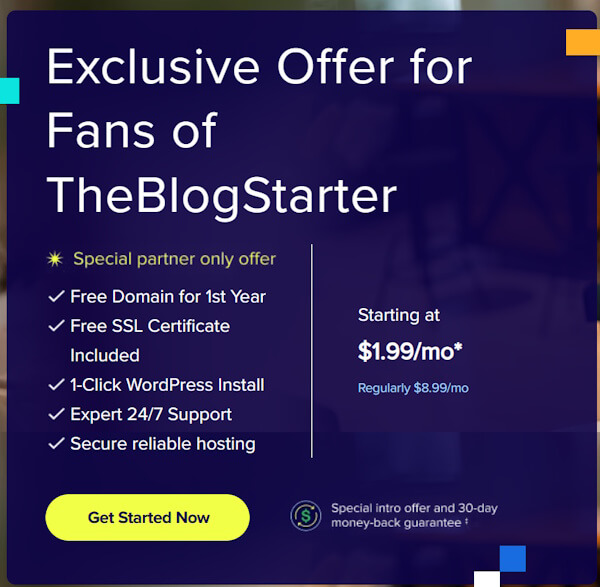
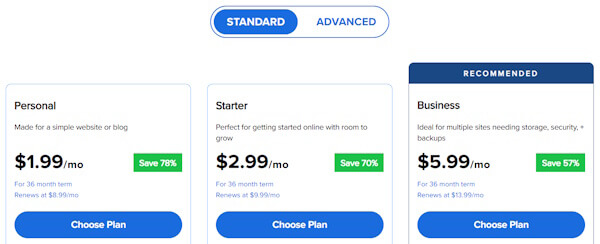
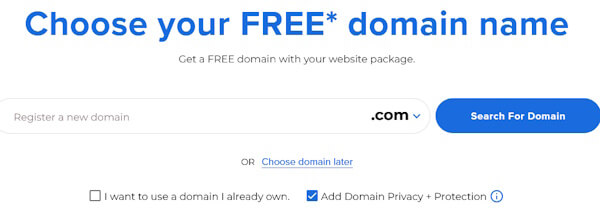
The signup process typically involves selecting a hosting plan, registering your chosen domain name, and providing account information. Many hosting providers offer to register your domain name as part of their packages.
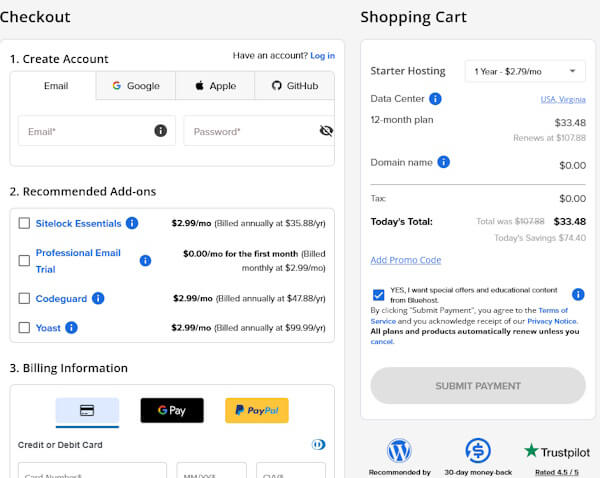
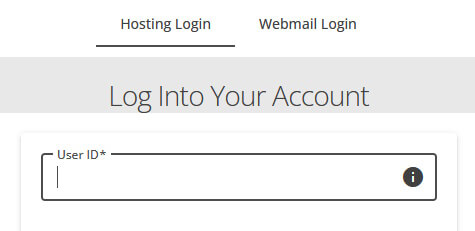
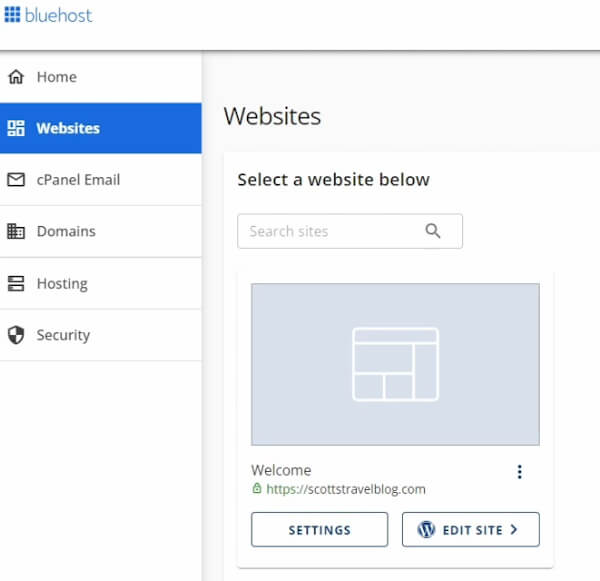
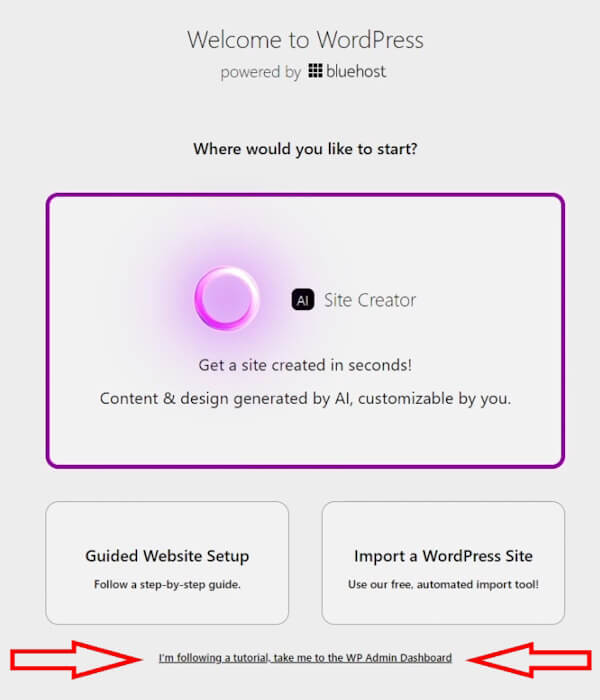
For blogging software, a Content Management System (CMS) like WordPress is a popular choice due to its flexibility and ease of use. Most hosting services offer simple, one-click installation of WordPress, which allows you to start building your blog without technical expertise.
Step 3: Designing and Customizing Your Blog
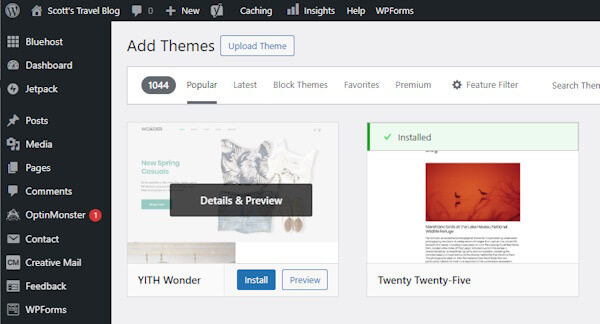
The visual design of your blog is controlled by a 'Theme'. A theme is a design template that dictates the layout, colors, and fonts of your entire site. WordPress offers thousands of free and premium themes to choose from, allowing you to find a look that fits your brand.
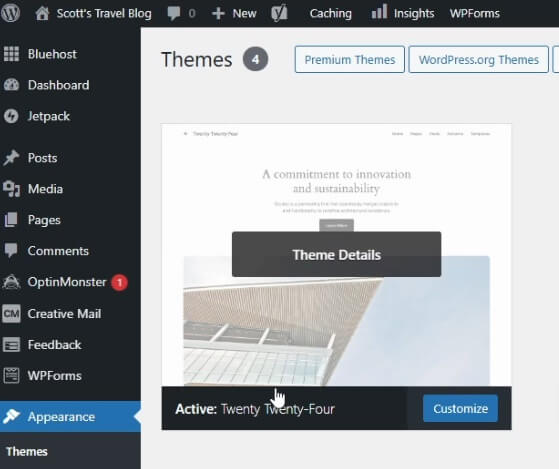
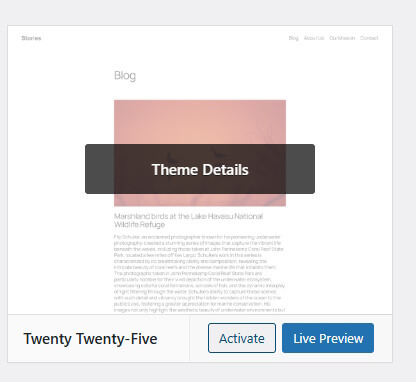
From the WordPress dashboard, you can browse, install, and activate new themes with just a few clicks. Once a theme is active, you can begin to customize it to your liking. Most themes come with options to change colors, upload a logo, and adjust the layout without needing to write any code.

Step 4: Creating High-Quality Blog Content
With your blog designed, it is time to create content. Content can be divided into two types: static and dynamic. Static pages contain information that rarely changes, such as an 'About' page, a 'Contact' page, and legal pages like a Privacy Policy or Disclaimer.
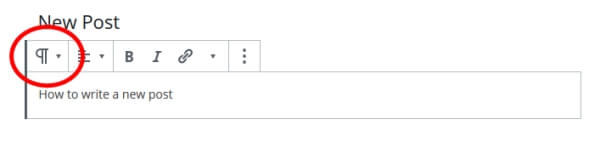
Dynamic content consists of your blog posts. This is the core of your blog, where you will regularly share new articles to engage your audience. To start, navigate to the 'Posts' section in your WordPress dashboard to create your first post.
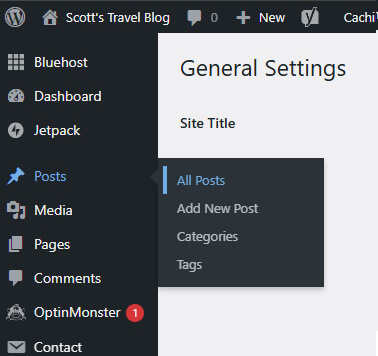
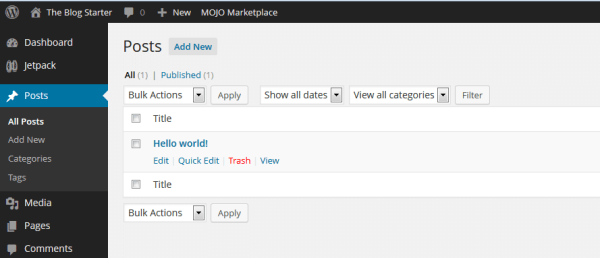
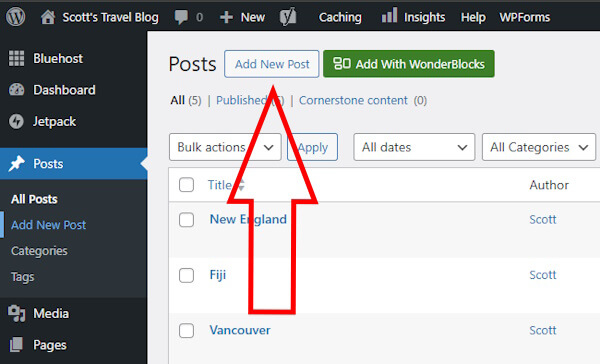
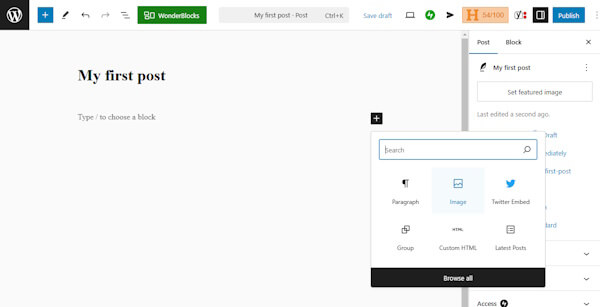
When writing, focus on creating original, informative, and engaging articles. Use clear headings to structure your content, keep paragraphs short, and incorporate images to break up the text. After writing, click the 'Publish' button to make your post live on your site.
Step 5: Strategies for Blog Promotion
Writing great content is only half the battle; you also need to attract readers. Start by sharing your blog with your personal network of friends and family. Social media is another powerful tool for reaching a wider audience.

Engage with other blogs in your niche by leaving thoughtful comments. This helps build relationships and can drive traffic back to your site. Building an email list is also crucial for long-term growth, as it allows you to notify subscribers directly about new content.

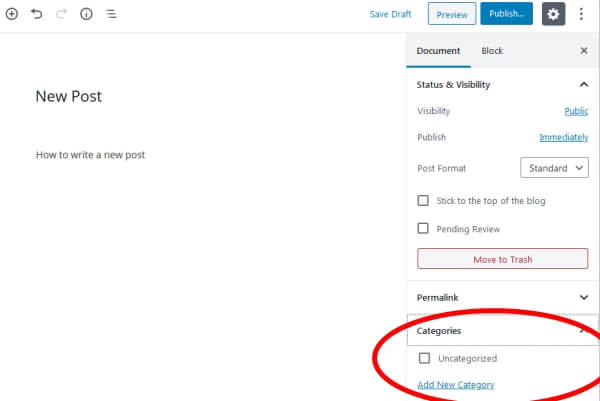
Finally, basic Search Engine Optimization (SEO) helps your blog appear in search results. This includes using relevant keywords, organizing posts into categories, using header tags, and ensuring your URLs (permalinks) are clean and descriptive.
Step 6: Monetization Models for Bloggers
Once your blog attracts a steady stream of visitors, you can begin to monetize it. It can take time to build an audience large enough to generate significant income, so patience and consistency are important.
Common monetization methods include displaying ads through networks like Google AdSense, where you earn money when visitors see or click on ads. Affiliate marketing is another option, where you earn a commission for promoting other companies' products or services.
You can also sell your own products and services directly from your blog. This could include digital downloads like ebooks and online courses, or physical products. Creating a membership area with exclusive content for paying subscribers is another effective monetization strategy.
Common Blogging Mistakes to Avoid
Many new blogs fail to gain traction due to avoidable errors. Understanding these common pitfalls can help you build a sustainable and successful blog.
- Giving Up Too Soon. Building an audience takes time. The corrective principle is to remain patient and focus on consistent content creation for several months or even years before expecting significant results.
- Inconsistent Posting. Long gaps between posts can cause readers to lose interest. The corrective principle is to create an editorial calendar and stick to a regular posting schedule, such as once a week.
- Poor Content Quality. Unoriginal or unhelpful content will not retain readers. The corrective principle is to prioritize creating valuable, well-written, and original content that addresses your audience's needs.
- Overloading with Ads. Too many ads create a poor user experience and can drive visitors away. The corrective principle is to be strategic and moderate with ad placement, ensuring content remains the primary focus.
- Ignoring Promotion. Simply publishing content is not enough to build an audience. The corrective principle is to dedicate time to promoting every new post through social media, email marketing, and community engagement.
Frequently Asked Questions About Blogging
What makes a blog successful?
A successful blog is built on the creator's passion, knowledge, and ability to create engaging content. Providing valuable, informative, and interesting articles that connect with a target audience is the key. Consistency in posting and promotion are also critical factors for growth.
How much does it cost to start a blog?
The cost can be very low. The primary expenses are a domain name (around $15 per year) and web hosting. Many hosting providers offer introductory plans for just a few dollars per month, often including a free domain name for the first year, making the total startup cost less than $50.
Should I use WordPress?
WordPress is a highly recommended platform, especially for beginners. Its user-friendly interface, extensive customization options through themes and plugins, and strong SEO capabilities make it a powerful and flexible choice for building almost any type of blog or website.
How often should I post new content?
For a new blog aiming for growth, posting at least once a week is a good starting point. The priority should be maintaining a consistent schedule that you can manage long-term. Quality should always take precedence over quantity.
How do bloggers get paid?
Bloggers earn income through various methods. This includes revenue from advertisements (paid per click or per impression), commissions from affiliate marketing programs, and direct payments from selling their own products, services, digital downloads, or paid memberships.