
The Modern Marketer's Guide to TikTok Creative Intelligence (2026 Update)
This guide provides a structured overview of the TikTok Creative Center, detailing its integrated tools for trend research, competitive analysis, and ad production workflow optimization.
-1.jpg%3F2026-01-21T07%3A44%3A19.210Z&w=3840&q=80)
Sections
The TikTok Creative Center functions as an integrated resource hub designed to support advertisers and creative teams in the development, analysis, and optimization of video advertising.
It provides essential tools for trend discovery and creative production, enabling marketers to align their campaigns with platform-specific engagement patterns.
.jpg)
The Foundation of TikTok Creative Intelligence
The Creative Center offers resources critical for managing successful ad campaigns on the platform. It acts as a comprehensive marketing environment, offering inspiration, analytical insights, content creation tools, and educational materials. While access to inspiration and trends is open to all users, utilization of the creative tools requires logging in, typically via Google, TikTok, or email credentials.
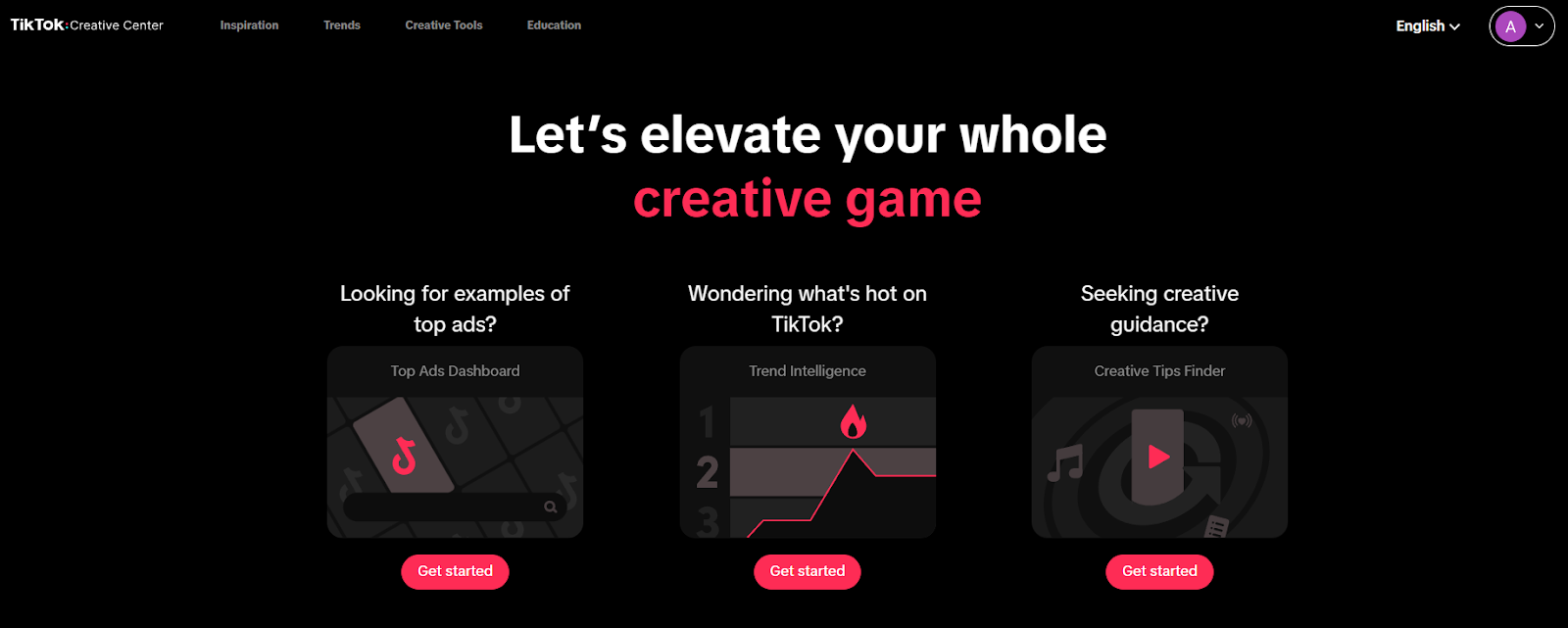
Key functional pillars include:
- Inspiration Features: Access to high-performing advertisements, successful creative patterns, and product showcases to fuel concept development.
- Analytic Insights: Provides performance data, such as CTR, CVR, comments, and shares, allowing teams to benchmark campaign success against similar creative assets.
- Creative Tools: Integrated video editor, templates, and generative AI features streamline the production and enhancement of advertising content.
- Trend Exploration: Real-time monitoring of popular songs, hashtags, keywords, and creators helps maintain relevance and expand reach.
- Optimization Guidance: Access to expert tips and creative best practices designed to improve campaign effectiveness from conception through post-launch analysis.
Utilizing Ad Intelligence for Competitive Analysis
Gaining a competitive advantage requires deep visibility into what creative strategies are currently resonating. The platform organizes this intelligence through dedicated dashboards focusing on top ads, product performance, and trending creative angles.
Top Ads Dashboard and Spotlight
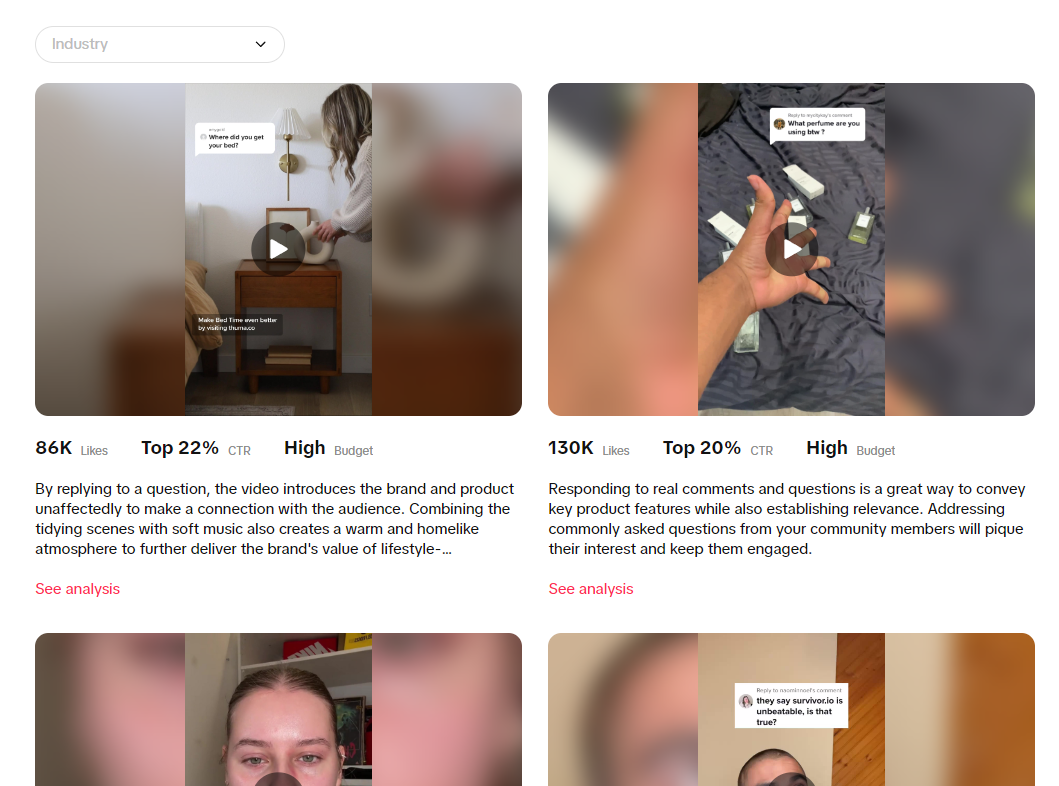
The Top Ads Dashboard is essential for reviewing established, high-performing advertisements filtered by region, industry, campaign objective, and ad format. Detailed analysis is available via the 'See analytics' function, which provides metrics like likes, comments, and shares.
A specialized 'Interactive time analysis' feature helps identify specific moments or keyframes within the video that triggered performance spikes in clicks or conversions. The Top Ads Spotlight, a curated section, presents hand-selected advertisements from the platform’s creative experts, offering nuanced, qualitative descriptions of why the creative succeeded beyond simple metric analysis.

Analyzing Product Demand and Performance
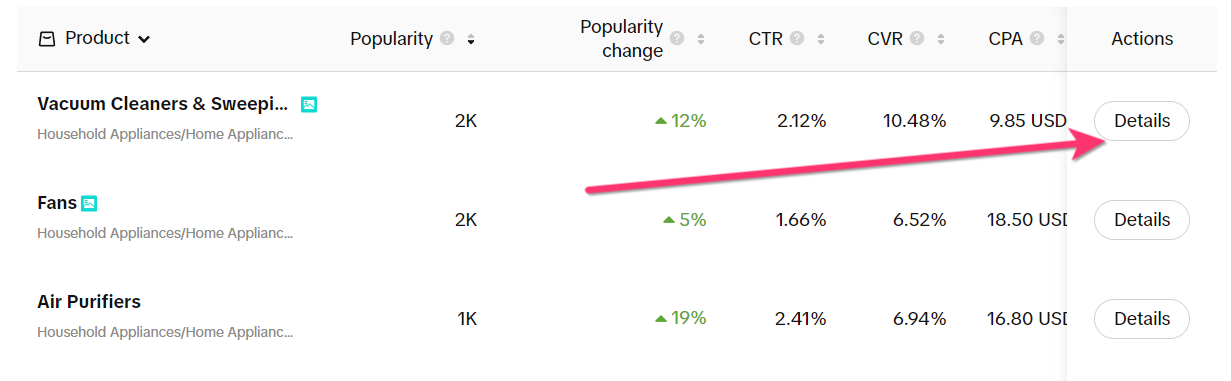
The 'Top Products' feature allows businesses to identify high-performing items based on key success indicators like Click-Through Rate (CTR) and Conversion Rate (CVR). Marketers can apply filters for country and product category.
The detailed 'Details' view offers a comprehensive breakdown of product metrics, related videos, and associated hashtags, facilitating accurate benchmarking for new product launches or specific promotions.

Creative Analysis: Deconstructing High-Performing Content
Effective creative testing relies on breaking down successful ads into their component parts—not just copying the execution, but understanding the underlying messaging and structure.
Uncovering Keyword and Creative Insights
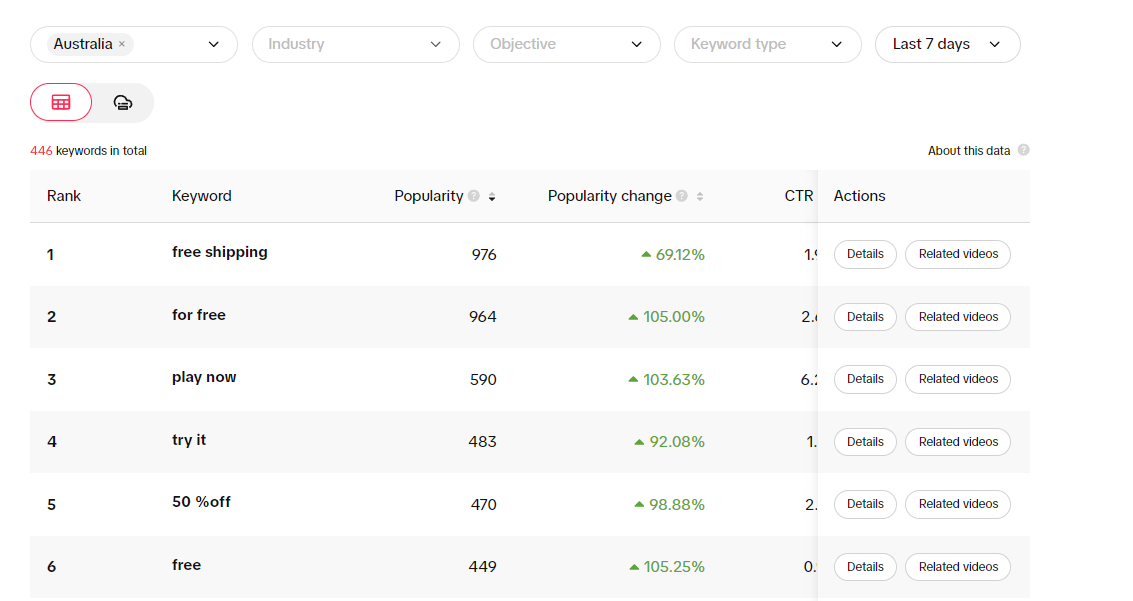
The Keyword Insights section identifies popular search terms relevant to specific industries and regions, which can be further filtered by marketing objectives (e.g., app installs or traffic). This tool provides data points such as CTR and whether the keyword appeared as text overlay or voice-over.
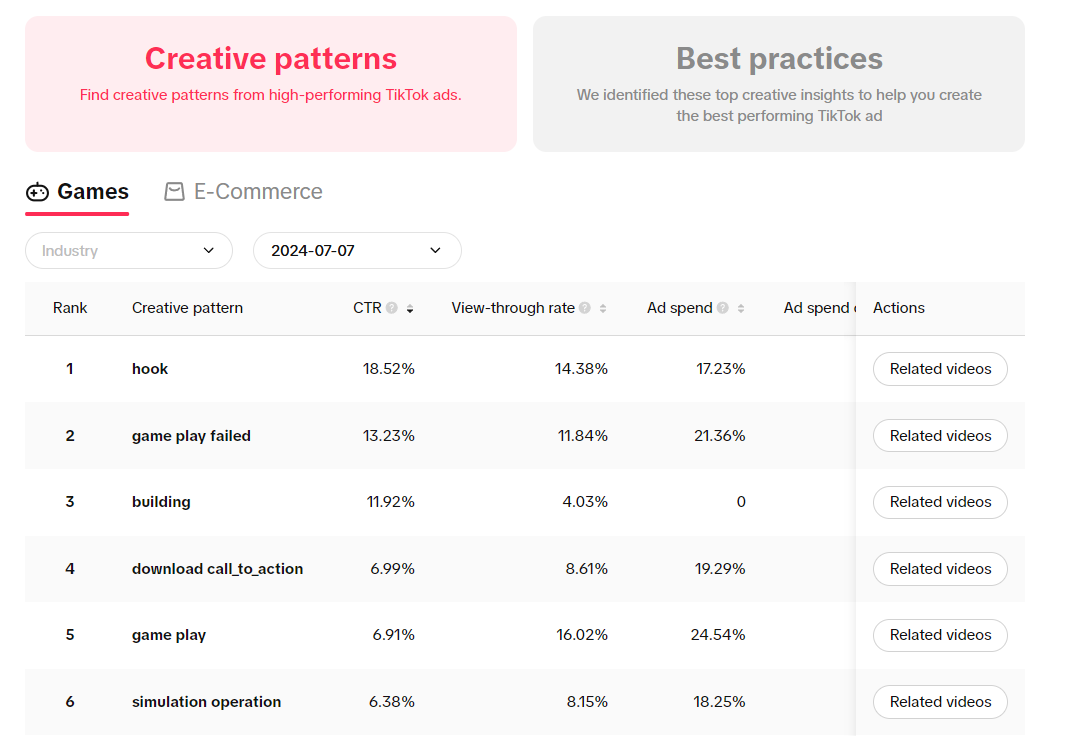
Separately, the Creative Insights section highlights currently trending content strategies and patterns, such as the use of 'game play failed' moments in the Gaming sector. The 'Best Practices' tab within this area offers platform guidance, emphasizing the importance of creating mobile-native, vertically optimized content for better engagement and completion rates.
Understanding Platform Virality: Trends and Themes
To maintain relevance, advertisers must quickly integrate emerging platform trends related to audio, hashtags, and creator styles. The Trends section serves as a real-time monitor for virality.
Real-Time Monitoring of Viral Elements
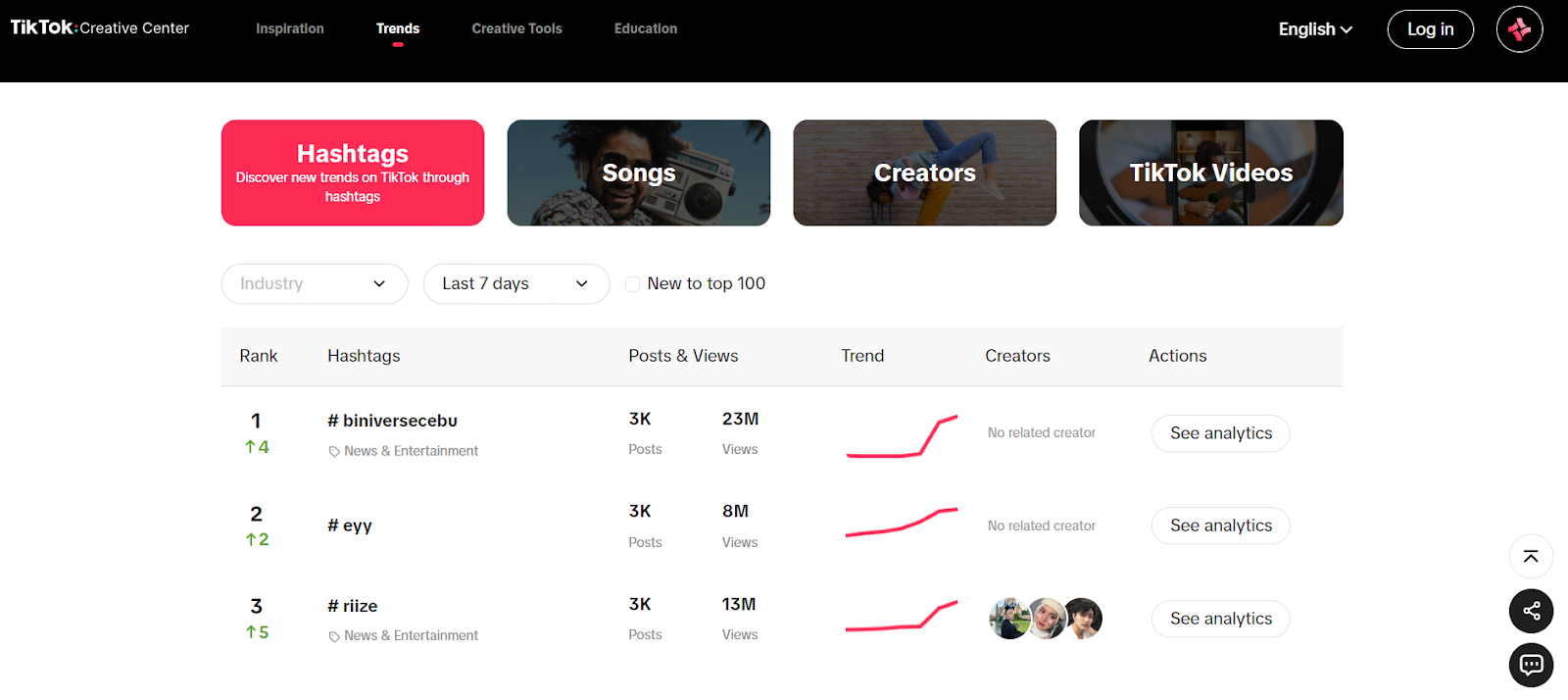
- Hashtags: Monitors industry-specific hashtags, showing post counts and views, helping identify both established and rapidly growing tags.
- Songs: Lists audio tracks trending over various timeframes (7 to 120 days), segmented into 'Popular' and 'Breakout' categories, complete with trend graphs.
- Creators: Identifies successful creators promoting products or services similar to the advertiser's industry, allowing for research into common creative characteristics.
- TikTok Videos: Showcases the most popular general videos, currently limited by region, offering insights into effective storytelling, music use, and visual effects regardless of industry focus.
Leveraging Macro Trend Perspectives
The 'Trend Perspectives' resource provides context on broader, macro-level audience behaviors. This includes visual stories about emerging content themes, widespread viral challenges, and shifts in consumer preference. This information aids businesses in anticipating future trend cycles and proactively aligning their long-term marketing strategies.
Enhancing Ad Production: Creative Tools Suite
Once creative concepts are defined using research, the Creative Tools section provides practical utilities for execution and refinement. These tools expedite production without requiring external professional software.
Integrated Editing and Templating
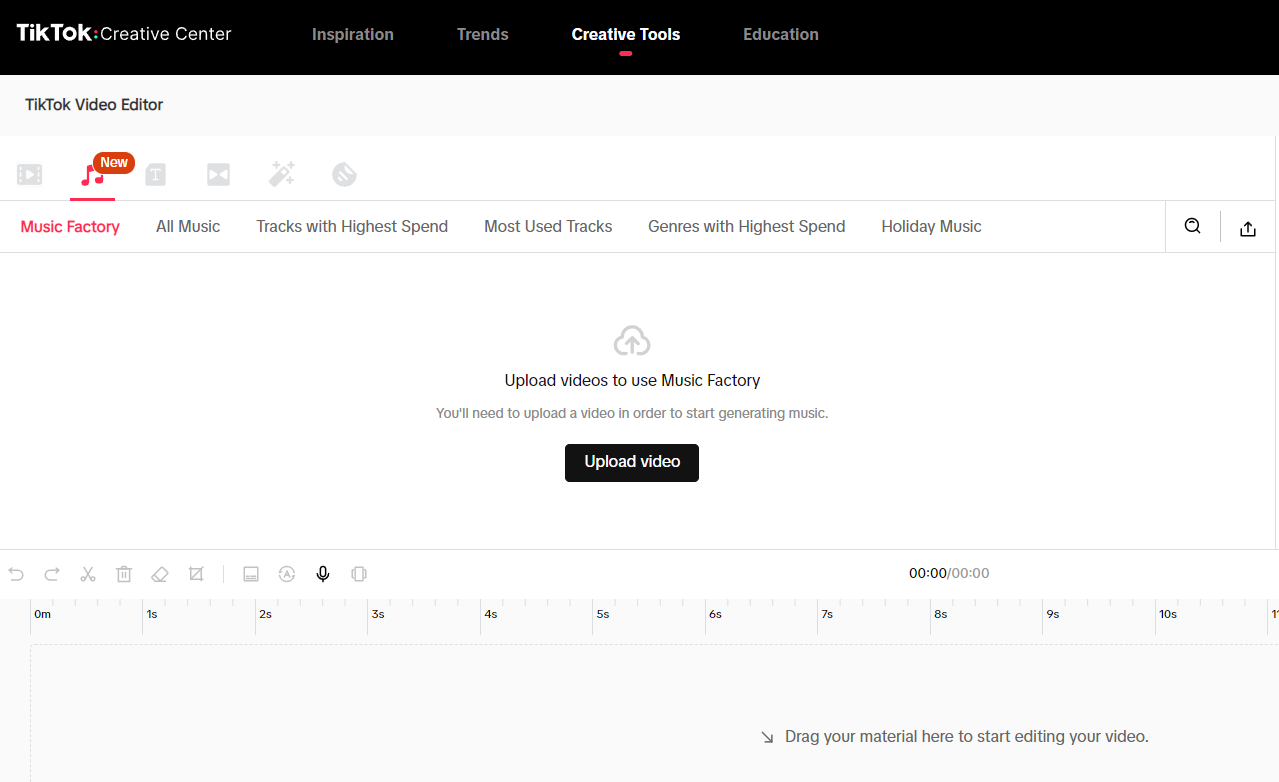
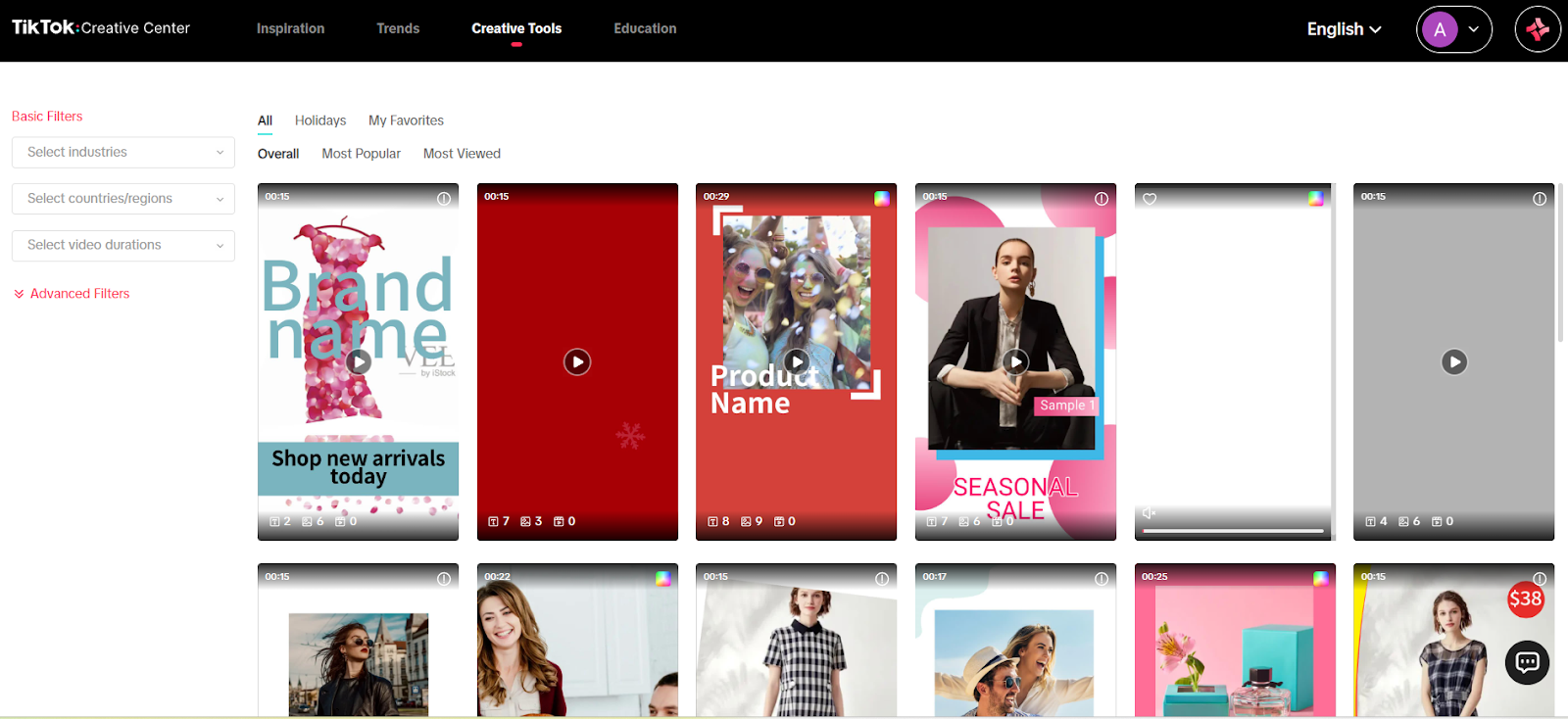
The Video Editor is a user-friendly interface for manipulating uploaded videos or images, offering options for text, effects, stickers, and transitions. It includes an 'Add Music' function linking directly to the platform's music library. Video Templates offer pre-customized layouts filterable by viewing duration, industry, and popularity, allowing rapid content creation by replacing placeholder assets.
Scripting and Interactive Elements
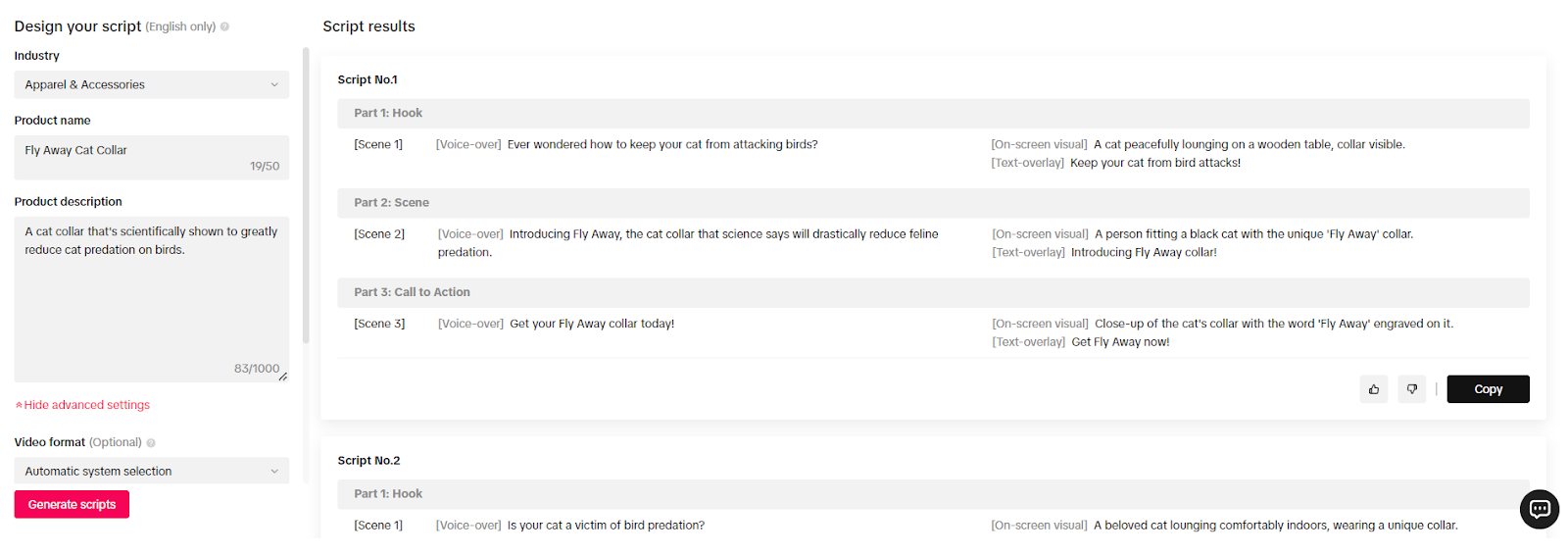
The Script Generator assists in conceptualization by generating customized ad scripts based on industry and product details, dividing the output into a hook, scene descriptions, and a call-to-action (CTA). Interactive Add-ons enable the incorporation of engaging elements like countdown stickers or multi-video screens, which are supported by platform data indicating their effectiveness in driving higher engagement.
 hook and call to action."
data-placeholder="script-generator-output.png"
loading="lazy"
/>
hook and call to action."
data-placeholder="script-generator-output.png"
loading="lazy"
/>
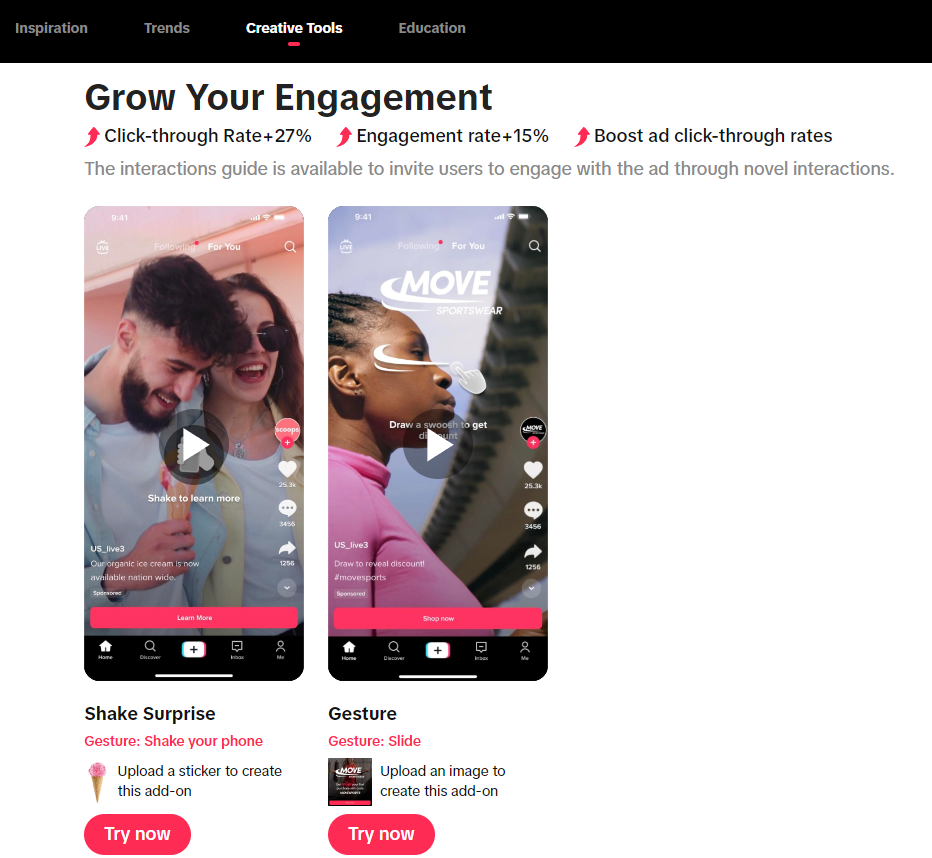
Audio and Generative AI Resources
The Commercial Music Library offers thousands of tracks and sound effects cleared for business use, filterable by themes, genres, and virality. This ensures compliance while maintaining access to popular sounds. The GENAI Beta Club provides early access to generative AI tools for selected businesses and content creators, allowing members to test and provide feedback on innovative features before wider release.
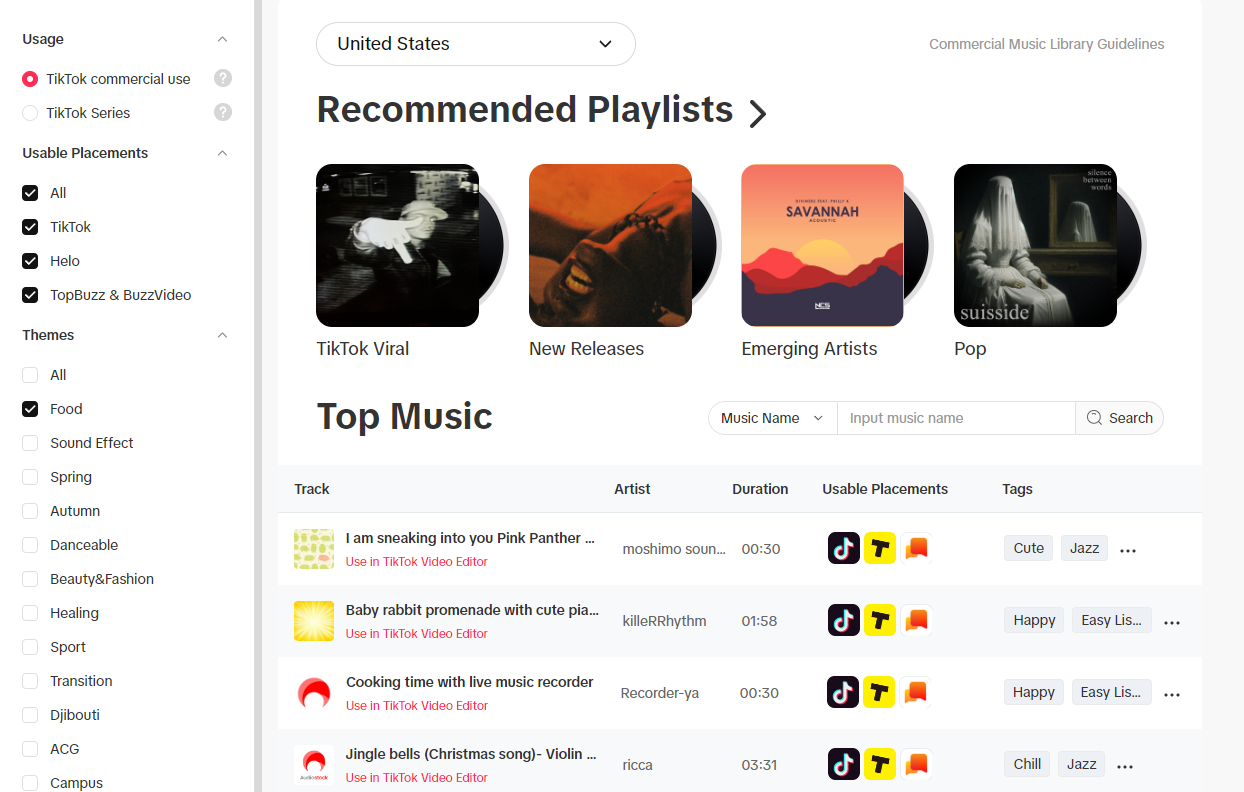
Continuous Improvement and Creative Strategy Education
For ongoing skill development, the Education section provides structured learning materials based on established platform best practices.
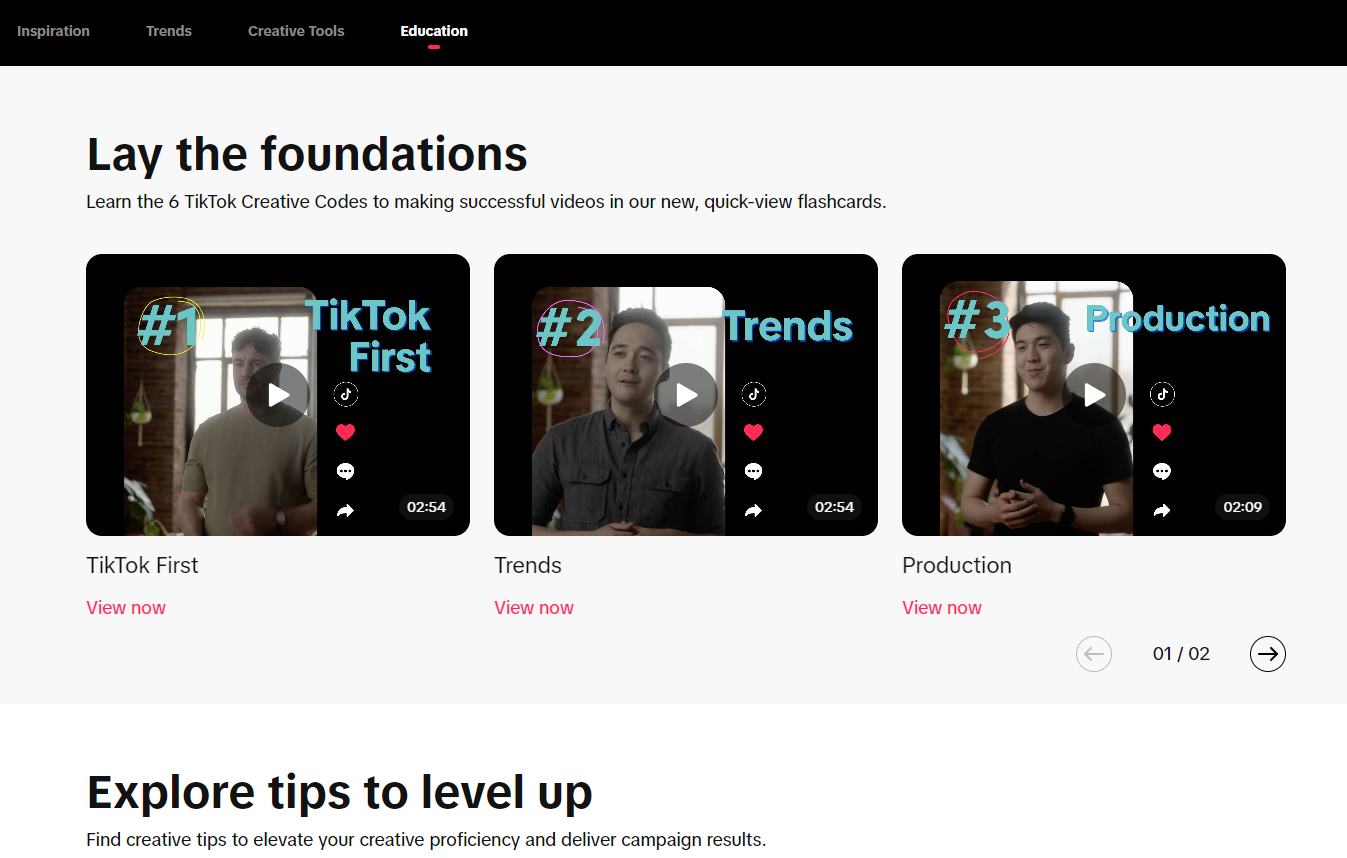
Resources include:
- Creative Tips Finder: Provides targeted advice on effective ad creation, covering topics like video formatting and hashtag integration, filterable by industry.
- Creative Strategies: Offers specific creative playbooks and how-to guides tailored to distinct verticals, such as the beauty community.
- Creative Expert Courses: Comprehensive training modules that cover core advertising topics, including Ads Manager utilization, audience targeting, and scriptwriting fundamentals.
Practical Creative Workflow: Researching Top Products
This structured approach leverages the Creative Center's data to inform product selection and marketing strategy, establishing relevant competitive benchmarks before launching a campaign.
The following steps detail how to systematically identify and analyze products currently demonstrating high performance metrics on the platform.
 CTR and CVR metrics."
data-placeholder="product-details-metrics.png"
loading="lazy"
/>
CTR and CVR metrics."
data-placeholder="product-details-metrics.png"
loading="lazy"
/>
- Step 1: Navigate to the Top Products Dashboard. Access the 'Inspiration' tab and select the 'Top Products' feature to view the listing of successful items.
- Step 2: Define Search Parameters. Refine the product list by applying filters for specific geography (country), relevant product category (e.g., Household Appliances), and desired date range. This helps focus the competitive intelligence gathering.

- Step 3: Analyze Product Performance Metrics. Examine the top-performing products displayed, focusing on key success indicators such as conversion rate (CVR) and click-through rate (CTR). Click 'Details' for a full breakdown.

- Step 4: Establish Campaign Benchmarks. Record the observed CTR, CVR, and impression volume for similar products to set realistic performance goals for your own campaigns.
- Step 5: Review Audience and Creative Insights. Analyze demographic breakdowns and related interests associated with the product's ad audience (e.g., ages, top related interests). Identify effective messaging angles from related advertisements and frequently used, successful hashtags.
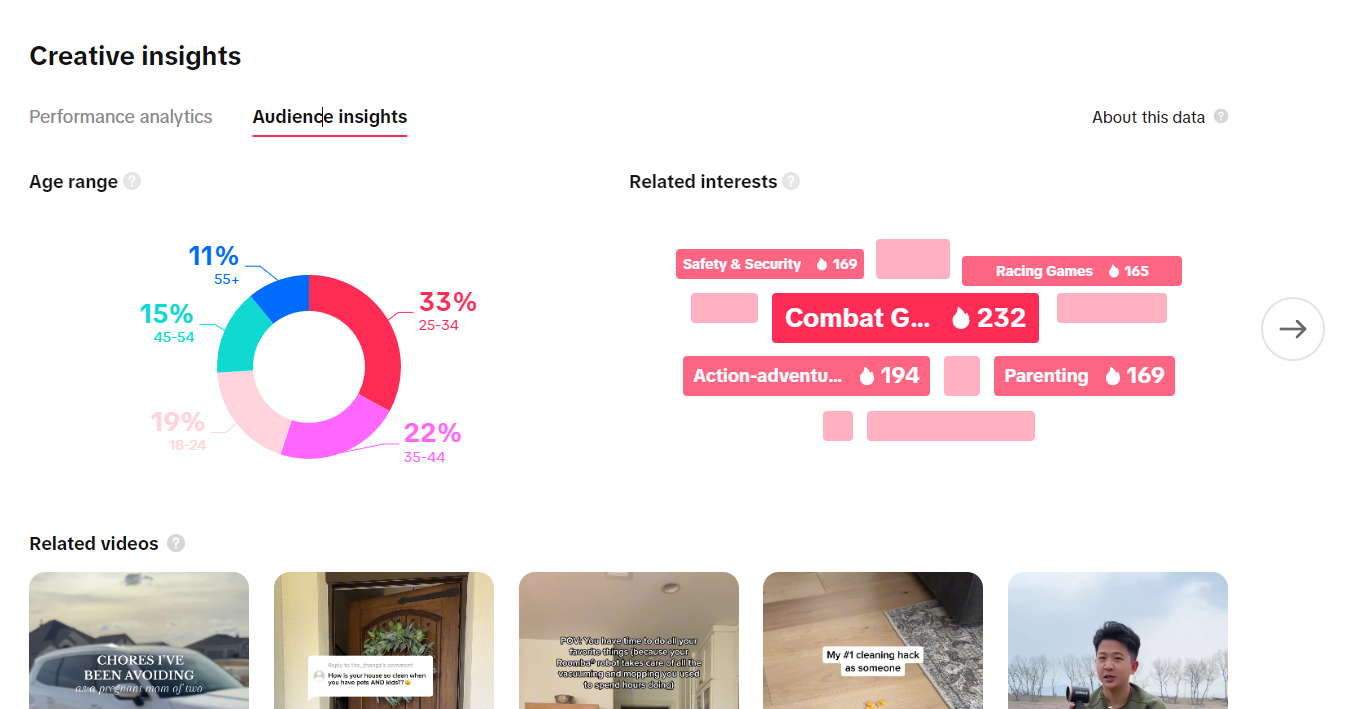

- Step 6: Integrate Findings. Apply the identified performance benchmarks, successful creative formats, and validated audience interests to refine campaign targeting and asset production.
Practical Creative Workflow: Analyzing Top Ad Trends
This workflow uses the Top Ads section to uncover the underlying creative mechanics driving performance in specific industry verticals.
By studying the structural elements of top-ranked videos, marketers can develop effective hooks and formats tailored to the audience.
- Step 1: Select the Top Ads Dashboard. Go to 'Inspiration' and click on 'Top Ads Dashboard' to begin browsing current high-performing creative assets.
- Step 2: Filter by Campaign Goals. Narrow the selection using filters like 'Industry,' 'Objective,' or 'Ad format.' Alternatively, use a specific keyword search (e.g., 'vacuum') to find campaigns related to product types.
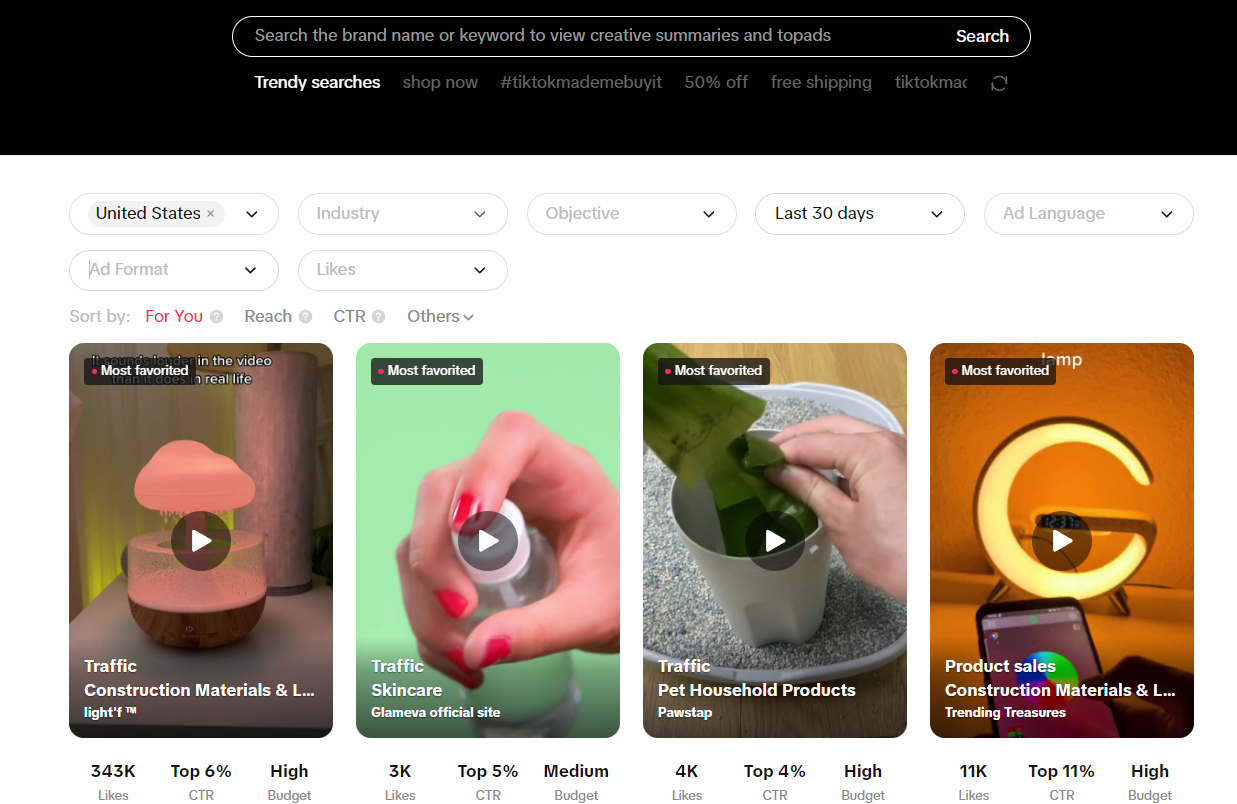
- Step 3: Review Performance Ranking. Examine the general performance overview, noting metrics like CTR and the ad's overall performance ranking (e.g., Top 3%).
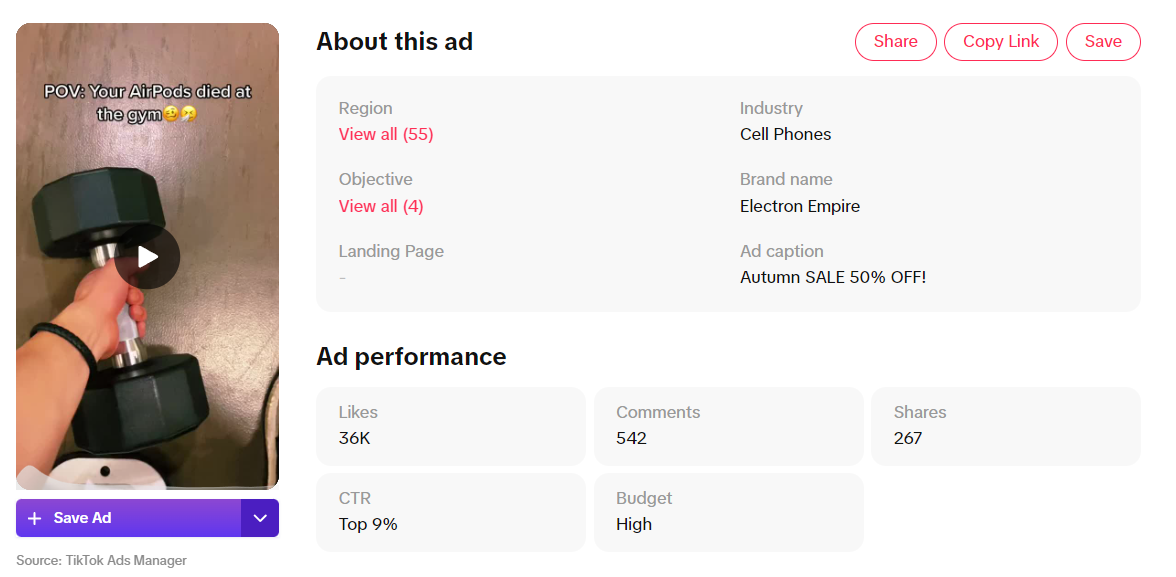 ad performance overview including budget and CTR."
data-placeholder="ad-performance-overview.png"
loading="lazy"
/>
ad performance overview including budget and CTR."
data-placeholder="ad-performance-overview.png"
loading="lazy"
/>
- Step 4: Conduct Interactive Time Analysis. Select 'See analytics' and focus on the 'Interactive time analysis' graph to identify exact keyframes where engagement (CTR, CVR) spiked. Study the creative elements present during these moments.
- Step 5: Utilize Video Analysis for Qualitative Review. Access 'Video Analysis' for a qualitative explanation of the ad's success, which often highlights the hook, the narrative concept, or the pain point addressed.
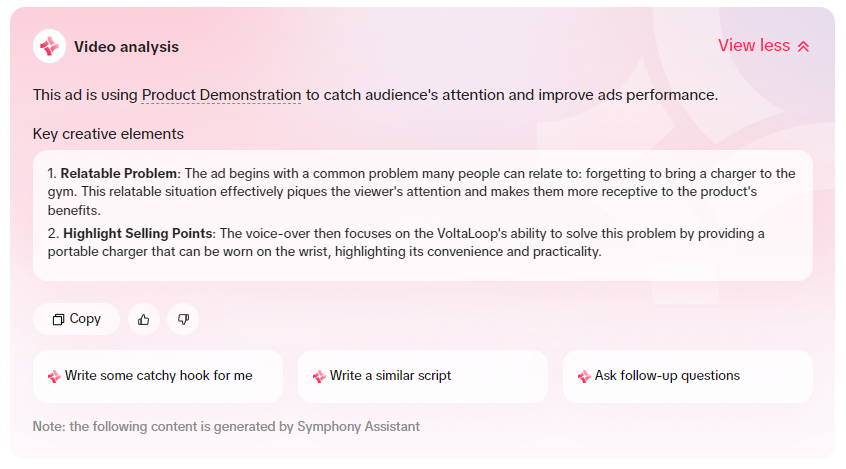 hook and concept."
data-placeholder="video-analysis-hook-concept.png"
loading="lazy"
/>
hook and concept."
data-placeholder="video-analysis-hook-concept.png"
loading="lazy"
/>
- Step 6: Formulate Creative Hypothesis. Use the qualitative insights (hook, concept, problem/solution structure) combined with the quantitative performance data (time analysis) to define new creative variables for testing.
Practical Creative Workflow: Identifying Trending Audio
Music and sound are crucial drivers of engagement on the platform. This workflow ensures that campaigns utilize commercially cleared, currently trending audio.
- Step 1: Access the Songs Trends Section. Navigate to the 'Trends' tab and select 'Songs' to view a list of currently popular audio clips.
- Step 2: Apply Filters for Commercial Use. Filter the results by country and timeframe. Crucially, ensure the 'Approved for business use' checkbox is active to maintain commercial clearance.
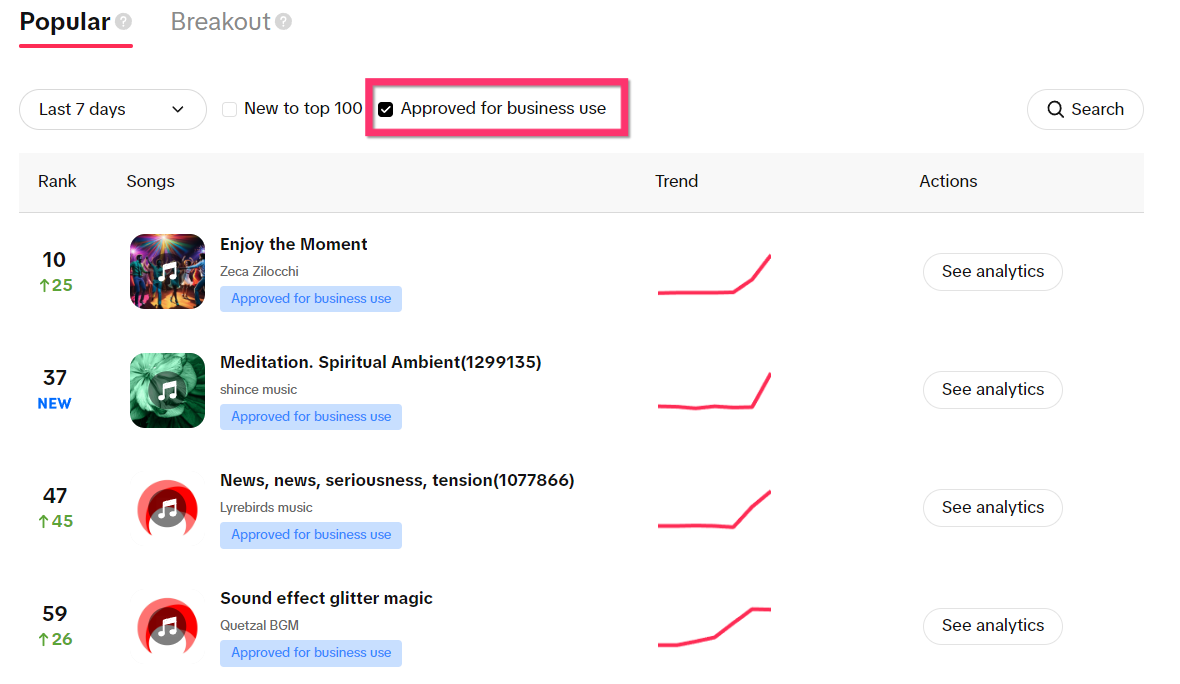
- Step 3: Analyze Audio Popularity. Review the trend graph associated with each track to determine recent popularity trajectory. Use 'See Analytics' for deeper data, including audience demographics and related interests for the song.
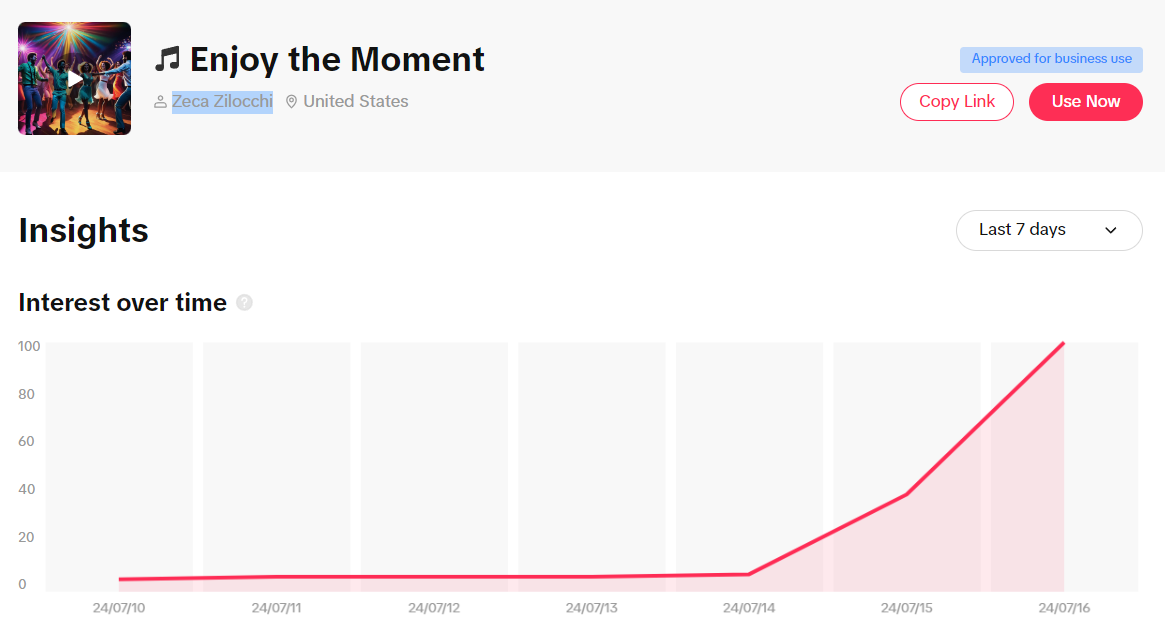
- Step 4: Select and Implement Audio. Choose a track that aligns with the brand message and click on the implementation button to transfer the selected audio clip directly into the integrated video editor for production.
Common Creative Research Mistakes to Avoid
Successful campaign creation involves avoiding pitfalls that lead to wasted testing budgets or ineffective creative output. Here are frequent errors and necessary corrective actions.
- Failing to Verify Commercial Licensing: Using a trending song without confirming it is 'Approved for business use' risks legal issues and campaign takedowns. Corrective Principle: Always check the Commercial Music Library or use the filter under Trends when selecting audio for paid campaigns.
- Ignoring Vertical Optimization: Uploading video creatives that are not natively optimized for mobile, vertical viewing results in lower completion rates and engagement. Corrective Principle: Adhere strictly to platform best practices that advocate for 9:16 aspect ratios and mobile-first design cues.
- Focusing Only on Raw Views: Judging ad success solely by impression volume overlooks the critical engagement metrics like CTR and CVR. Corrective Principle: Prioritize metrics linked to intent (clicks and conversions) and use the Interactive Time Analysis to pinpoint effective engagement segments.
- Copying Competitor Execution Directly: Replicating a competitor's ad structure exactly, rather than understanding the underlying mechanism that made it successful. Corrective Principle: Use the Video Analysis feature to understand the 'why' (hook, concept, pain point) behind top ads, then integrate those principles into original content.
- Neglecting Keyword Intent Filtering: Researching keywords without filtering them by campaign objective (e.g., traffic vs. app installs) leads to misalignment between messaging and goal. Corrective Principle: Always refine Keyword Insights using the 'Objectives' filter to ensure terms support the specific marketing goal.
- Overlooking Audience Data in Product Research: Analyzing a top product's performance metrics (CTR, CVR) without reviewing the audience demographics and related interests. Corrective Principle: Use the audience insights provided in the Top Products details to confirm that the product resonates with the intended target age group and interest categories.
- Sticking to Old Creative Structures: Maintaining rigid creative templates when platform trends suggest macro shifts in audience behavior and preferred content formats. Corrective Principle: Regularly consult 'Trend Perspectives' to understand emerging content themes and adjust creative strategies proactively.
- Underutilizing Interactive Elements: Launching standard video ads without incorporating engaging features like countdown stickers or shake surprises. Corrective Principle: Integrate Interactive Add-ons recommended by the platform, which are often supported by data showing conversion lift.
Frequently Asked Questions (FAQ)
What is the primary function of the Creative Center?
The Creative Center is a specialized digital marketing platform intended for businesses, advertisers, and content creators. Its central purpose is to provide resources and tools necessary for planning, creating, analyzing, and optimizing advertising content specifically for the platform environment.
How is access obtained?
Users can access most features, such as inspiration and trend data, without logging in. Full access to creative tools and personalized analytics requires logging in, which can be done using a TikTok account, Google account, or via email/phone credentials.
Why is this resource important for advertisers?
This resource offers an integrated solution for developing successful advertising campaigns. By providing detailed ad analytics, real-time trend monitoring, and video editing utilities, it allows advertisers to continuously track competitor performance, refine messaging, and align creative assets with high-engagement trends.
Related Resources
Further Reading
Related Articles

The Modern Toolkit: How Ecommerce Uses AI for Creative Research and Campaign Optimization
How ecommerce marketers use AI tools for competitor ad research, creative analysis, and on-site personalization to build high-performing campaigns.