
Supercharge Your Ad Creative: How to Build Viral Animated Videos in 15 Minutes Using AI Coding
The rapid advancement of AI coding tools has unlocked unprecedented creative efficiency for marketers. This guide provides a hands-on technical workflow for non-technical users to leverage AI coding assistants like Claude Code with the Remotion framework, enabling the programmatic creation of high-impact, animated product videos on demand.

Sections
The Strategic Shift: Accessing Code Without Coding
The barrier between creative strategy and code execution has significantly diminished. Advanced AI models capable of generating complex, functional code are driving massive efficiency breakthroughs, granting non-technical professionals direct access to system-building capabilities that were previously restricted to specialized engineers.
 Claude Code) generating animated video assets (Remotion) on a developer's desktop screen.">
Bridging the Technical Gap for Creative Professionals
AI coding agents empower creative strategists to quickly execute complex digital tasks, such as generating custom tools or creating high-fidelity video assets. This capability facilitates rapid prototyping and execution, which is crucial for modern multi-platform ad campaign management. Organizations are increasingly prioritizing “AI-forward” team members who can demonstrate fluency in integrating these tools to maximize creative output and enhance overall efficiency.
The Focus on Creative Velocity and Structured Output
For ad intelligence and creative testing workflows, speed is paramount. This AI-powered workflow allows marketers to dramatically accelerate creative cycles, enabling them to test variations of hooks, formats, and messaging angles faster than ever before. This efficiency is best applied to generating structured creative assets, such as animated terminal outputs, UI component demonstrations, and data visualizations, where the underlying logic is predictable and manageable by the AI agent.
Setting Up the Claude Code and Remotion Workflow
Generating video code requires integrating the AI agent (Claude Code) with the video synthesis framework (Remotion). These initial setup steps prepare the development environment.
Installing the Remotion Skills Add-on
The first step is to equip the AI assistant with the specific knowledge of the Remotion syntax and best practices. Open your Integrated Development Environment (IDE), such as VSCode or Cursor, and run the following command:
npx skills add remotion-dev/skillsThis command installs the necessary skills, functioning as a technical instruction manual that Claude Code can reference when writing video composition code.
Initial Project Creation and Environment Cleanup
Next, create the foundational project structure using the following command:
npx create-video@latestSelect the "Hello World" template for a basic starting point. This initializes a project folder and automatically opens Remotion Studio, typically running at localhost:3001, which provides a real-time preview of the animations as they are coded by the AI.
Environment Cleanup: To ensure the AI agent operates efficiently and avoids conflicting instructions, delete any configuration files related to other AI tools (like Gemini or OpenCode) within the new project folder, retaining only the primary agent configuration (e.g., agent.claude.md).
Prompting Strategy for Creative Generation
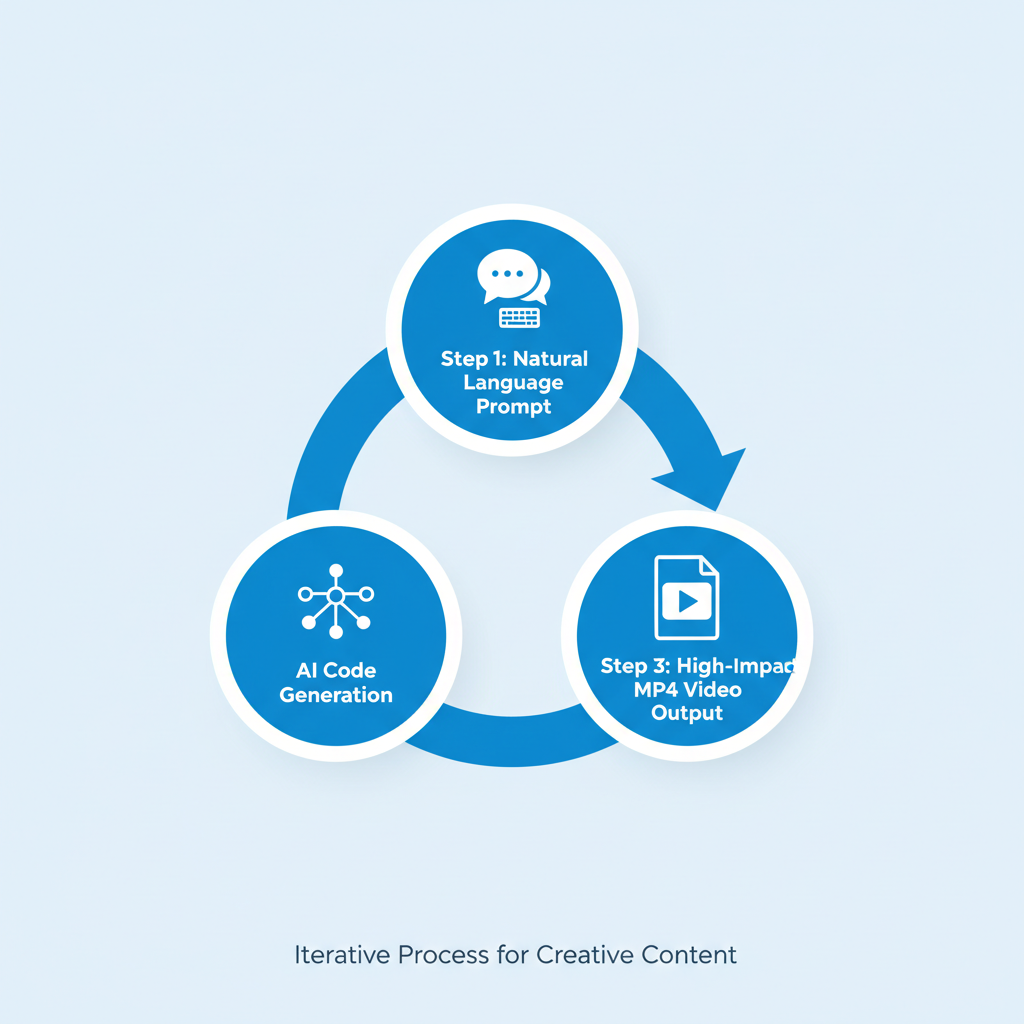
Effective AI video generation relies on an iterative, step-by-step approach. Rather than asking for a complete, complex video in one prompt, build the asset sequentially.
Analyzing Product Structure for Animation Ideas
Before coding, direct Claude Code to study your product to suggest optimal animation subjects. This ensures the output is relevant to the asset being promoted:
- For internal files: "Look at
/src/pages/index.tsx. What components would translate well into animated videos?" - For live sites: "Go to
myproduct.com. Based on the site structure, what sections would make the most compelling short promos?"
The AI will analyze the code or site map and propose animated sequences based on the discovered components.
The Iterative Prompting Workflow
Start with basic visual geometry and movement, then introduce effects, styling, and transitions layer by layer. Review the Remotion Studio preview after each prompt to confirm the output.
- Define the Canvas: Start with foundational elements: "Create a macOS terminal window, 1280x1000px, light theme. Blinking cursor."
- Style Adjustments: Refine the visual aesthetic: "Remove the background. Use a bigger font."
- Add Depth and Perspective: Introduce 3D effects: "Apply a 3D rotation of 10 degrees on the X and Y axes."
- Sequence Content: Implement the core narrative: "Add a typewriter animation that types 'npx skills add remotion-dev/skills'."
- Define Continuous Motion: Apply subtle, ongoing movement: "Rotate the Y axis from 10 to -10 degrees over the video length. Make the terminal rock slightly while typing."
- Entrance and Exit Effects: Define high-quality transitions: "Animate the terminal to slide from the bottom using a spring animation with no bounce."
- Branding: Define a final composition: "New composition. Display the company logo, a plus sign, and the Claude Code logo."
Leveraging Claude's Execution Capabilities
A key differentiator of advanced AI coding assistants is the ability to execute commands and integrate the actual output into the visual asset. For instance, you can instruct the agent to run a shell command and use the resulting text or image output as the content for the animation itself, ensuring authenticity.
Common Mistakes and Best Practices
While this workflow is highly efficient, maximizing its utility requires adherence to specific structural best practices.
What Works Best
This approach is highly effective for assets with clean edges and predictable, repeatable motion. Focus on:
- Terminal interactions (typing commands, output display).
- Product UI flow (zooming in on features, seamless transitions between screens).
- Data visualization (charts, counting numbers, structured graphs).
Limitations and Avoiding Confusion
The generative coding approach has limitations, particularly when dealing with complex, non-structured visuals:
- Organic Animation: Avoid demanding animations involving complex characters, fluid motion, or organic shapes that typically require dedicated frame-by-frame artistry.
- Prompt Overload: Do not attempt to describe ten visual changes in one prompt. This often confuses the AI, leading to contradictory code and mispositioned elements. Implement changes one or two at a time, checking the preview after each iteration.
- Lack of Organization: To help the AI structure its code effectively, specify the video structure upfront (e.g., "The video must have three parts: intro, main content, and outro.").
Exporting Your Finished Animated Video
Once the real-time preview in Remotion Studio is finalized, render the composition into a video file using the command line. Replace MyComposition with the exact name of the composition you created:
npx remotion render MyComposition --output promo.mp4This command generates a production-ready MP4 file suitable for direct integration into ad campaigns or creative research libraries.
Related Tools
Frequently Asked Questions
Is specialized coding knowledge required to use Claude Code for video generation?
No. The primary value proposition of this workflow is allowing non-technical creative professionals to describe complex visual outcomes using natural language. The AI agent translates these instructions into functional, production-ready code.
What types of marketing videos are best suited for AI coding generation?
The method is most effective for videos focused on structured elements, such as animated terminal outputs, software interface demos, UI component transitions, and data visualizations. Assets with clean edges and predictable movement yield the best results.
How does this accelerated workflow benefit creative testing?
By dramatically reducing the development time for high-quality video assets, marketers can achieve greater velocity in creative testing cycles. This allows for rapid iteration on successful creative hooks and formats across platforms like Facebook, Instagram, and TikTok.
Why are some large enterprises blocking the use of advanced AI coding tools?
Many large organizations implement security protocols and require complex approval processes for external AI services. Concerns often revolve around data privacy, intellectual property leakage, and ensuring compliance with existing security frameworks.
Key Terms
- Claude Code
- An advanced AI assistant designed to generate, debug, and execute code based on natural language prompts, accelerating development for non-coders.
- Remotion
- A framework that allows developers and creatives to produce videos and motion graphics programmatically using standard web technologies, synthesizing visual effects via code.
- Agentic Coding
- An AI methodology where the model exhibits autonomy, executing multiple steps, running generated code, analyzing the output, and iteratively fixing bugs or refining the solution to fulfill a complex user goal.
- Integrated Development Environment (IDE)
- A software suite that provides comprehensive facilities for software development, such as code editing, compiling, and debugging (e.g., VSCode or Cursor).
- Revenue Per Employee (RPE)
- A key organizational efficiency metric calculated by dividing a company's total annual revenue by its number of full-time employees, often cited in discussions of AI-driven productivity gains.
- Iterative Prompting
- The technique of refining an AI model's output through a sequence of small, specific prompts, rather than demanding the entire complex outcome in a single instruction.