
How to Run Facebook Ads for E-commerce: A Complete Guide
This guide provides a comprehensive walkthrough for setting up, analyzing, and scaling Facebook ad campaigns for e-commerce businesses. Learn a structured approach to testing creatives, interpreting key performance metrics, and implementing strategies for sustainable growth.

Sections
Before You Launch: Key Prerequisites
Before creating your first campaign, ensure three foundational elements are in place. First, install the Meta Pixel on your e-commerce store, typically through a direct integration like the Shopify app, to track user actions. Second, prepare a batch of ad creatives—a mix of 10 to 15 assets, including both videos and images, is a strong starting point. Finally, allocate a starting budget. While a minimum of $100 can be used for learning, an initial budget of $250 or more provides a better foundation for effective testing.
Understanding the Core Components of a Successful Campaign
Four key elements work together to determine the success of your advertising efforts. A strong campaign starts with a product that has genuine market demand. Paired with this is a clear marketing angle and a well-defined target audience, or customer avatar. The creatives—your videos and images—are the most critical component, as they must resonate directly with this audience. All four pillars must align for a campaign to perform effectively.
How to Set Up Your First Facebook Testing Campaign
This section outlines a step-by-step process for launching a campaign designed to test multiple creatives and identify what resonates with your audience.
Step 1: Create a New Sales Campaign with CBO
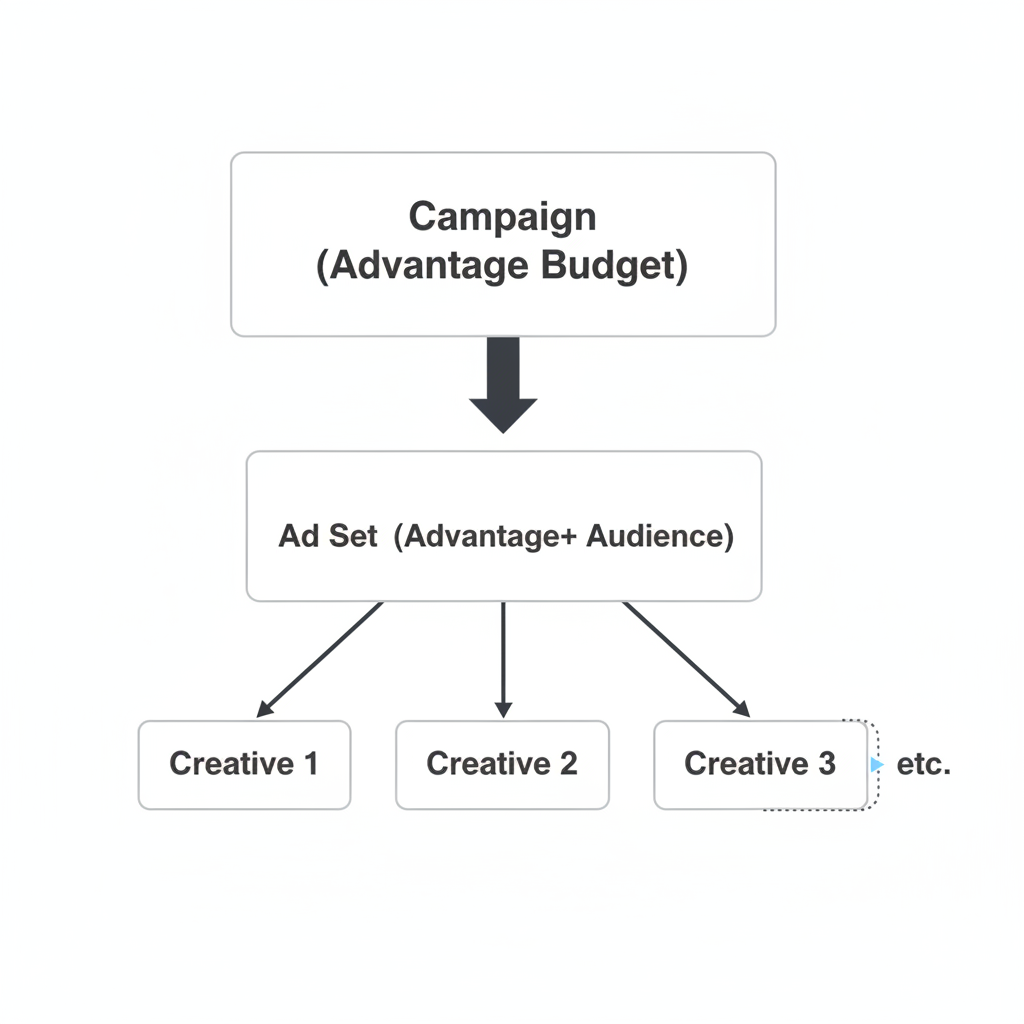
Navigate to the Meta Ads Manager and click 'Create'. Select 'Sales' as your campaign objective to optimize for conversions. Name your campaign for easy identification. Enable 'Advantage Campaign Budget' (formerly Campaign Budget Optimization or CBO) and set a daily budget. A starting budget of $50 per day is recommended for the initial testing phase.
Step 2: Configure Your Ad Set for Broad Targeting
In the ad set level, choose your website as the conversion location and select 'Purchase' as the optimization event. This option becomes available after your Meta Pixel is correctly installed and active. Set a start time for your campaign; scheduling it for the early morning (e.g., 6:00 AM) in your target timezone is a common practice. For audience targeting, use 'Advantage+ Audience' to allow Meta's algorithm to find the best audience. This broad targeting approach is highly effective. Finally, select your target country or countries, such as the United States, United Kingdom, or Australia.
Step 3: Upload Your First Ad Creative
At the ad level, select the 'Single image or video' format. Add your website URL, directing traffic to the specific product page. Write your ad copy, including a compelling Primary Text (the main description) and a clear Headline. Tools like ChatGPT can assist in generating ideas. Set the call-to-action (CTA) button to 'Shop Now' to align with the sales objective. Finally, upload your first video or image creative.
Step 4: Duplicate Ads to Test Multiple Creatives
Once your first ad is complete, use the 'Duplicate' function to create copies within the same ad set. For each duplicated ad, change only the creative by uploading a different video or image. Repeat this process until you have added all 10-15 of your prepared creatives. This structure—one campaign, one ad set, and multiple ads—allows Meta to efficiently test all your creatives against a broad audience and allocate the budget toward the best performers.
Analyzing Campaign Performance After 24 Hours
After letting the campaign run for a full day, it's time to analyze the initial data to make informed decisions.
Key Metrics to Monitor
 ROAS, CPC, and CTR." loading="lazy">
While many metrics are available, focus on the most impactful ones for e-commerce:
- Purchases: The total number of sales attributed to your ads.
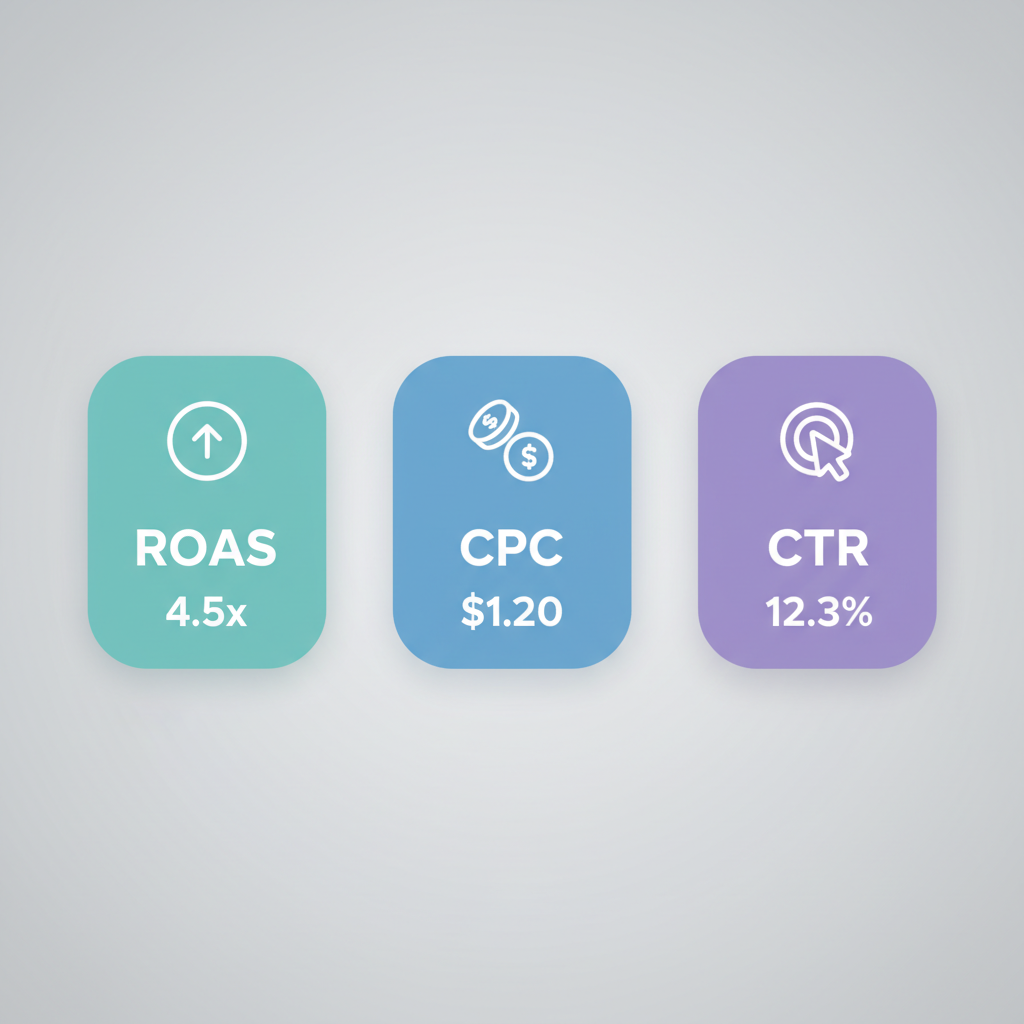
- ROAS (Return On Ad Spend): The most important metric. It measures total revenue generated for every dollar spent on advertising. A ROAS of 2.3 means you made $2.30 for every $1 spent.
- CPC (Cost Per Click): The average cost for each click on your ad. Aim for a CPC under $1.50-$1.80, especially when targeting countries like the US.
- CTR (Click-Through Rate): The percentage of people who see your ad and click on it. A CTR above 2% is a good indicator of creative effectiveness.
How to Interpret Results and Make Decisions
Based on your 24-hour performance, follow one of these scenarios:
- Zero Sales: If you've spent the daily budget with no sales, consider turning off the campaign. You can then launch a new test with entirely new creatives or, if this pattern repeats, re-evaluate the product itself.
- One Sale: The campaign shows potential. Let it run for another 24 hours. Turn off the individual ads (creatives) that have spent money without results and consider swapping them with new ones.
- Two to Three Sales: This is a positive signal. Continue to let the campaign run while pruning the non-performing creatives and replacing them with new tests.
- Three or More Sales: The campaign has found traction. You have winning creatives and are ready to begin scaling.
How to Scale Successful Facebook Ad Campaigns
Scaling involves systematically increasing your ad spend while maintaining profitability. This is done by focusing budget on proven creatives.
Beginner Scaling: The Two-Campaign Method
Maintain your initial '$50/day Test Campaign' as a perpetual testing ground for new creatives. Create a second, separate 'Scaling Campaign'. When a creative in your Test Campaign becomes a 'winner' (e.g., generates a sale), duplicate it into the Scaling Campaign. For each winning creative you add to the Scaling Campaign, increase its CBO budget by $50. This method isolates your proven performers and allows you to increase their budget aggressively and systematically, often by 20% each day, as long as profitability holds.
Advanced Scaling: Horizontal Duplication Strategy

For more advanced scaling, use a technique called horizontal scaling. When an ad set in your scaling campaign is performing exceptionally well (e.g., 5+ sales), duplicate the entire ad set 5 times into a brand new campaign. This strategy attempts to replicate success across different segments of Meta's audience, effectively creating multiple 'soldiers' working for you. If one of the duplicated ad sets also performs well, you can repeat the process, creating an exponential number of campaigns and ad sets to maximize reach and sales volume.
Maintaining Momentum with High Creative Velocity
Scaling is fundamentally about creative performance. To maintain long-term success and high daily spending, you must constantly find new winning creatives. A disciplined approach involves testing a high volume of new ads—for example, 10 new creatives every single day—in your dedicated testing campaign. This ensures a steady stream of winners to fuel your scaling campaigns.
Common Mistakes to Avoid
Be mindful of these common pitfalls that can hinder campaign performance:
- Targeting overly expensive countries as a beginner without a validated product.
- Entering highly saturated niches (e.g., general beauty products), which leads to high CPCs.
- Using low-quality or ineffective ad creatives that don't capture attention or communicate value.
- Not testing enough creatives to find a true winner.
- Selling a product with low market demand or no problem-solving capability.
- Cutting campaigns or ads too early without giving them enough budget or time to optimize.
- Becoming emotionally attached to a product that isn't selling.
The Importance of Accurate Ad Performance Tracking
It's important to recognize that ad platform reporting may not always capture 100% of sales. Discrepancies can occur due to tracking limitations across devices and privacy features. As you scale, this can lead to making decisions based on incomplete data. An ad campaign might appear unprofitable in Ads Manager when it is actually profitable. For this reason, many advertisers use third-party tracking and attribution software to get a more accurate picture of performance, ensuring they don't prematurely kill winning campaigns.
Related Resources
Frequently Asked Questions
How much budget do I need to start Facebook ads?
A budget of at least $250 is recommended to give your initial test campaign enough data to find winning creatives. While you can start with less, a larger budget allows for more robust and faster testing.
What is the best campaign objective for e-commerce sales?
The 'Sales' objective is the best choice for e-commerce businesses focused on driving revenue. This tells Meta's algorithm to find users who are most likely to make a purchase on your website.
How many ad creatives should I test at once in a new campaign?
Testing 10 to 15 different creatives (a mix of videos and images) in a single ad set is a strong starting point. This provides enough variety for the algorithm to find one or more top performers to allocate budget towards.
How long should I let a test campaign run before making changes?
You should let a new test campaign run for at least 24 hours to gather sufficient initial data. Making decisions before this period can be premature, as the algorithm needs time to learn and optimize.
What is the difference between vertical and horizontal scaling?
Key Terms
- ROAS (Return On Ad Spend)
- A key performance metric that measures the gross revenue generated for every dollar spent on advertising. It is calculated by dividing the total revenue from ads by the total ad spend.
- CPC (Cost Per Click)
- The average amount an advertiser pays for a single click on their ad. It is calculated by dividing the total amount spent by the total number of clicks.
- CTR (Click-Through Rate)
- The percentage of people who click on an ad after seeing it. It is a measure of how compelling an ad creative and its copy are to the audience.
- Advantage Campaign Budget (CBO)
- A Meta Ads feature that automatically manages and distributes a single campaign budget across multiple ad sets to the best-performing ones in real-time.
- Advantage+ Audience
- Meta's automated targeting option that uses AI to find the best audience for your ads, going beyond the detailed targeting selections you define. It is often referred to as 'broad targeting'.
- Ad Set
- A group of ads that share the same budget, schedule, audience targeting, and placement settings. Ad sets are housed within a campaign.
- Creative
- The visual component of an ad, such as a video, image, or carousel, that users see in their feed.