
How Persistent AI Agents Redefine Automation and High-Level Digital Workflow Management
Persistent AI agents represent a significant evolution beyond traditional large language models (LLMs) and standard automation tools. Unlike conversational AIs that reset context after each interaction, these agents maintain continuous memory across multiple applications and days, allowing them to manage complex, multi-step workflows. This guide explores the structure, applications, and technical requirements necessary to leverage AI agents for advanced digital productivity and research tasks.

Sections
Understanding the Persistent AI Agent Model
An AI agent designed for continuous operation is fundamentally different from typical chat interfaces. Standard LLMs operate on discrete queries; they answer, and the conversational context is often forgotten or manually managed by the user. Persistent agents, however, live within the user's computing environment, maintaining deep context and executing actions based on long-term intent and historical data.

Memory, Context, and Continuity
The defining feature of a persistent agent is its capacity for continuous memory. If a user discusses investment topics or research goals over several days, the agent compiles and organizes this information automatically into structured memos, links, and detailed summaries. This capability eliminates the manual effort of creating a 'second brain' or organizing disparate notes across applications like Notion or Obsidian, ensuring all related information is consolidated and readily searchable.
Deep Integration and Cross-Platform Control
These specialized agents integrate directly with the user’s communication and computing infrastructure. Interaction typically occurs through major messaging platforms such as WhatsApp, Telegram, or Discord. More crucially, the agent gains operational control over the underlying machine (e.g., a dedicated computer or VPS) through the Command Line Interface (CLI).
This level of integration allows the agent to execute complex tasks:
- Controlling files and applications.
- Interacting with APIs and services (e.g., Gmail, GitHub, X).
- Installing and running new software (e.g., automatically downloading, installing, and configuring a text-to-speech utility like Quin based solely on a request).
This capability moves the AI from being a conversational partner to an active, autonomous assistant capable of executing system-level actions.
Practical Workflow Applications for AI Agents
The ability of an AI agent to handle persistent context and machine control unlocks powerful, one-shot automation setups that previously required building complex, multi-node workflows (sometimes requiring hours of configuration).
Content Analysis and Creative Insight Generation
For marketers and creative professionals, the agent functions as a high-speed research assistant. It can automate the analysis of digital content across platforms. For example, when observing an interesting video, the agent can be instructed to:
- Capture the video link via a messaging app.
- Retrieve the video’s metadata and views count.
- Obtain the full video transcript.
- Execute an AI analysis of the transcript to identify key hooks, claims, and structural elements.
- Generate a summary and save the findings to a centralized research memo.
This process translates competitive creative research into actionable insights instantly, facilitating hypothesis generation for new ad campaigns or creative testing workflows.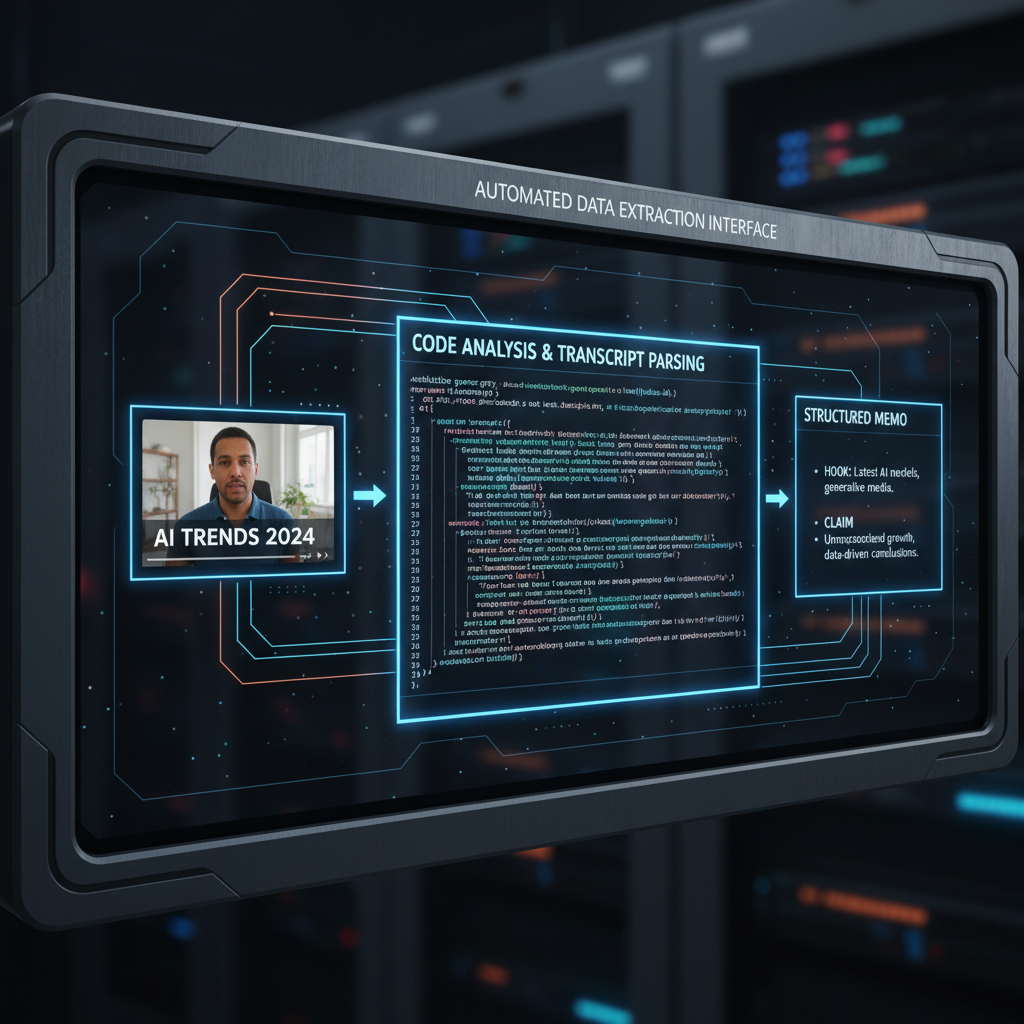
Investment and Research Organization
Beyond creative applications, the agent excels at knowledge management. By monitoring conversations, articles, and documents related to specific topics (e.g., investments), the agent structures the data into coherent, searchable memos. It can organize links, documents, and summaries, allowing a user to ask high-level context questions (e.g., “What investments have I discussed this week?”) and receive detailed, context-aware reports.
Autonomous Project and Task Management
Persistent agents can serve as automated project managers. They manage and execute routine tasks, acting as sophisticated cron jobs. Examples include:
- Morning Briefings: Checking all calendars and providing a consolidated daily schedule.
- Task Scheduling: Setting reminders and adding tasks across devices (e.g., Apple Reminders, Google Calendar).
- Employee Delegation and Nagging: When added to a group chat, the agent can monitor project progress, identify delays, and send automated reminders or follow-ups to specific team members based on pre-defined roles and tasks.
The Technical Requirements for Running a Persistent Agent
While the agent simplifies automation, its operation requires a reliable, dedicated environment to ensure 24/7 availability and maximize performance.
Dedicated Machine vs. VPS Configuration
The AI agent must have an environment where it can run continuously and maintain access to local files and CLI functions. The options are:
- Dedicated Hardware (e.g., Mac Mini): This offers excellent local performance, especially for resource-intensive tasks like running local AI models (text-to-speech, local LLMs) and deep integration within specific ecosystems (e.g., utilizing Apple Notes and Reminders).
- Virtual Private Server (VPS): A cost-effective solution ($5/month) that provides a constant internet connection and a machine to run the agent. API keys are used to offload heavy calculations to external services, reducing the local computational load.
The choice depends on the existing hardware availability and the need for localized AI processing power.

Setting Up Skills and Automations
Instead of manually creating complex automation sequences (nodes) or teaching an employee, the setup involves configuring the agent's ‘skills’ and describing the desired workflow. The agent learns the desired process in one instance, eliminating the need for repeated configuration. The initial setup requires time for installation, often involving utilizing resources like GitHub repositories or professional services.
Common Pitfalls and Strategic Considerations
Security and Risk Mitigation
Granting an AI agent system-level control via CLI introduces inherent security risks. As this technology is rapidly developing, standard security protocols must be strictly followed. A key mitigation strategy is running the agent on a dedicated machine or isolated VPS. This isolates the agent’s operations and potential vulnerabilities from the user's primary workstation and sensitive data.
Time Investment vs. Financial Cost
Integrating a persistent AI agent is frequently compared to hiring and training a full-time executive assistant. The comparative advantages of the agent include:
- Cost Efficiency: Significantly cheaper than hiring staff (avoiding salary, overhead, and agency costs).
- Availability: Operates 24/7 without requiring raises, taking sick leave, or going on strike.
- Knowledge Retention: All learnings and configured workflows are retained indefinitely, unlike human assistants who may quit, taking institutional knowledge with them.
The initial time investment in configuration and training the agent pays compounding returns in saved time and reduced cognitive load from administrative tasks.
Related Tools
Frequently Asked Questions
How do persistent AI agents differ from tools like ChatGPT or Gemini?
Standard conversational LLMs typically operate on short-term context that resets or requires manual continuation. Persistent agents maintain continuous memory across days and applications, allowing them to manage complex, multi-step workflows and execute actions on the local computer system (CLI).
Is specialized hardware, like a Mac Mini, necessary to run a persistent agent?
No. While dedicated hardware like a Mac Mini is beneficial for running local AI models and integrating with specific ecosystems, the agent can be run on a low-cost Virtual Private Server (VPS). Calculation tasks can then be offloaded using various API keys.
Can the AI agent manage project tasks across a team?
Yes. When integrated into team communication platforms (like Discord or Telegram groups), the agent can function as a project manager, scheduling tasks, providing daily briefings, and sending automated reminders to specific team members based on workflow definitions.
What is the primary benefit of using a persistent agent for high-income professionals?
The main benefit is the massive reduction in time spent on administrative tasks and knowledge organization. By automating research, task management, and documentation creation, the agent frees up hours of cognitive load and provides greater clarity and focus.
Key Terms
- Persistent Context Window
- The capacity of an AI model to retain and utilize information, memory, and history across prolonged periods, multiple conversations, and various applications.
- CLI (Command Line Interface)
- A text-based interface used to operate software and operating systems. Persistent AI agents use CLI access to execute commands and control the functions of the underlying computer system.
- Automation Node
- A single step or function within a larger automated workflow, typically requiring manual connection to other nodes to create a complete process. Persistent agents often replace the need for extensive manual node creation.
- VPS (Virtual Private Server)
- A dedicated, isolated virtual machine hosted remotely, often used to run continuous applications like AI agents without relying on a physical local machine.
- Text-to-Speech (TTS)
- Technology that converts written text into audible speech. Persistent agents can manage the installation and operation of local TTS utilities for tasks like summarizing learning materials.